
How to Add WebMCP to Your Next.js App: Complete Setup Guide (2026)
Author
Muhammad Awais
Published
June 23, 2026
Reading Time
14 min read
Views
9k
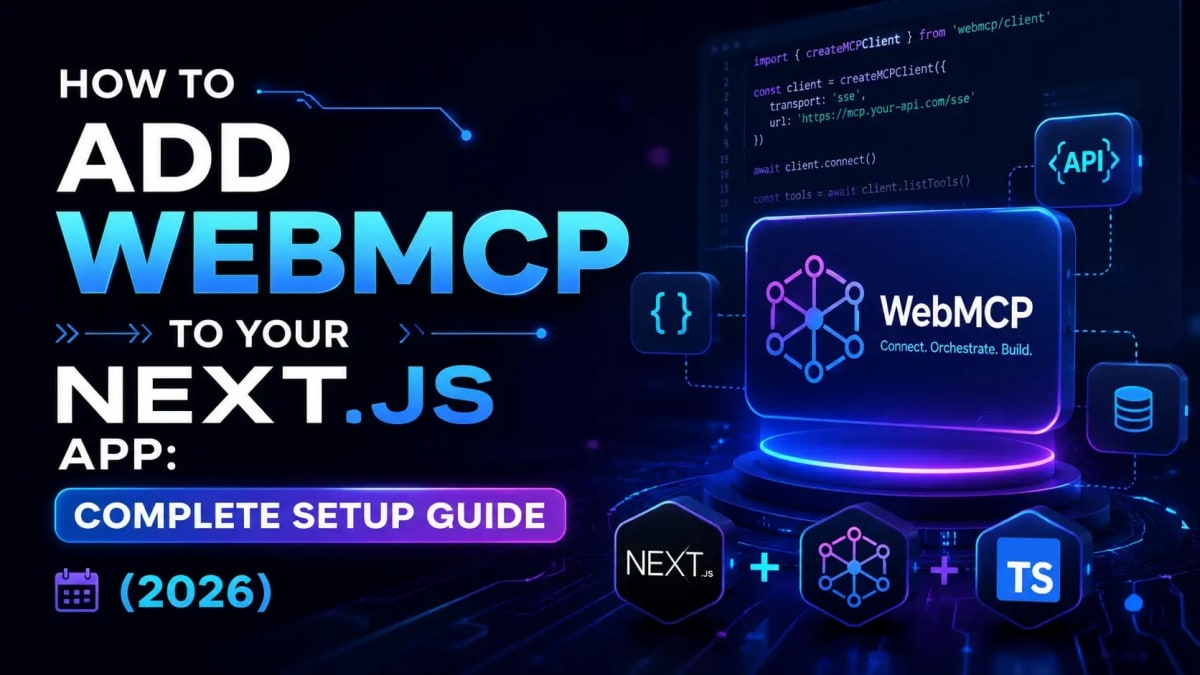
Your Next.js App Is Invisible to AI Agents - Here's How to Fix That
A few months back I was watching Gemini in Chrome try to use a Next.js app I'd built. The agent was taking screenshots, guessing which input field was "search", clicking in the wrong places, and hallucinating button labels. It was painful to watch like watching someone try to read a book through a window. That's the problem WebMCP was built to solve.
WebMCP is a W3C draft standard that adds a navigator.modelContext API to browsers. Instead of an AI agent scraping your DOM and guessing what your app does, your Next.js app tells the agent exactly what it can do in structured, machine-readable terms. The agent calls a function. Gets clean data. Moves on. No screenshots. No broken selectors. No hallucinations.
In this guide I'll walk you through the whole thing: what WebMCP actually is (and how it differs from Anthropic's MCP), the two APIs you need to know, and a complete step-by-step Next.js App Router implementation with real working code. Let's go.
What You'll Learn in This Guide
What WebMCP is and exactly how it differs from Anthropic's server-side MCP
The Declarative API (HTML attributes) vs the Imperative API (
registerTool) which one to use whenHow to add WebMCP to a Next.js App Router project with the
@mcp-b/react-webmcppackageHow to enable the Chrome 146 flag and test your tools in Chrome DevTools
The gotchas that will bite you: single-tab scope, the removed
provideContext(), and the 50-tool soft limitSecurity considerations origin isolation, prompt injection, and what NOT to expose
WebMCP vs MCP — They Sound the Same but They're Not
This trips up a lot of developers, and honestly it tripped me up too when I first saw the name. Let me make it clear with one sentence each.
Anthropic's MCP (Model Context Protocol) runs server-side. Your AI agent connects to a backend server over JSON-RPC like Claude Desktop connecting to a database or a file system. It runs outside the browser entirely.
WebMCP runs client-side, inside the browser tab. Your website registers tools directly with the browser's navigator.modelContext API, and in-browser agents discover and call those tools locally. No separate server. No extra authentication. The agent uses whatever session the logged-in user already has.
They're not competitors they're complementary. A flight booking site might use WebMCP so browser agents can search flights on the front end, while also running an MCP server so Claude or GPT can book flights via API on the back end. If you've already read our MCP complete guide, think of WebMCP as "MCP for the browser layer." Same concepts, totally different runtime.
Feature | Anthropic MCP | WebMCP |
|---|---|---|
Where it runs | Server-side (Node.js, Python) | Client-side (browser tab) |
Protocol | JSON-RPC over stdio/HTTP |
|
Auth | Separate auth required | Uses existing browser session |
Backend required? | Yes | No (zero backend) |
Who made it | Anthropic | W3C (Google + Microsoft) |
Standard status | Industry standard | W3C Community Group Draft (2026) |
Browser support | N/A (server) | Chrome 146+ (flag), Edge 147+ (flag) |
The W3C published the WebMCP Draft Community Group Report on February 10, 2026. Chrome 146 shipped the first implementation behind a feature flag it's not on by default yet, but the public origin trial opens in Chrome 149. All four major browser vendors (Google, Microsoft, Mozilla, Apple) are at the table. That's a strong signal this is going somewhere.
Now that the distinction is clear, let's look at the two ways you can actually register tools because choosing the right one depends on what you're building.
Declarative API vs Imperative API — Which One Do You Need?
WebMCP gives you two ways to expose tools to agents. Most Next.js apps will end up using both.
The Declarative API — HTML Attributes (2 minutes to ship)
If your app has standard HTML forms, you're most of the way there already. Just add two attributes: toolname and tooldescription. The browser automatically translates your form's fields into a structured JSON Schema that AI agents understand.
<form
  toolname="searchProducts"
  tooldescription="Search the product catalog by keyword and category. Returns matching products with price and availability."
  onSubmit={handleSearch}
>
  <input name="query" type="text" placeholder="Search..." />
  <select name="category">
    <option value="">All categories</option>
    <option value="electronics">Electronics</option>
    <option value="books">Books</option>
  </select>
  <input name="maxPrice" type="number" min="0" />
  <button type="submit">Search</button>
</form>
That's it. An AI agent navigating Chrome with WebMCP enabled will see a searchProducts tool with parameters for query, category, and maxPrice all inferred from your form fields automatically. No JavaScript needed.
Use the Declarative API for: search forms, contact forms, filter UIs, newsletter signups. Basically anything that's already a form. For everything else dynamic data, stateful interactions, multi-step flows you need the Imperative API.
The Imperative API — navigator.modelContext.registerTool()
This is where the real power is. You register tools programmatically with a name, a natural language description, a JSON Schema for inputs, and an async handler function. Here's the full shape:
if ('modelContext' in navigator) {
  navigator.modelContext.registerTool({
    name: 'getUserDashboard',
    description: 'Get the current user's dashboard summary including recent orders, wishlist count, and loyalty points.',
    inputSchema: {
      type: 'object',
      properties: {
        includeOrders: {
          type: 'boolean',
          description: 'Include last 5 orders in the response'
        }
      },
      required: []
    },
    async execute({ includeOrders }) {
      const res = await fetch('/api/dashboard', {
        method: 'POST',
        headers: { 'Content-Type': 'application/json' },
        body: JSON.stringify({ includeOrders })
      });
      return res.json();
    }
  });
}
The if ('modelContext' in navigator) check is not optional it's the feature detection pattern you must use. Browsers that don't support WebMCP yet won't have this API, and your app should degrade gracefully rather than throw errors.
One thing worth noting: the JSON Schema in inputSchema is the same format used by Claude, GPT, and Gemini for function calling. WebMCP speaks the language LLMs already understand which is exactly why the spec chose it.
Now let's wire this up in an actual Next.js App Router project, step by step.
Step-by-Step: Adding WebMCP to Next.js App Router
I'll walk through a realistic example a Next.js 15 e-commerce app where we want to expose a searchProducts tool and a getCartSummary tool to AI agents.
Step 1: Install the Polyfill
Chrome 146+ has WebMCP behind a flag. Edge 147+ too. Everyone else doesn't have it yet. The @mcp-b/global polyfill gives you navigator.modelContext in all browsers today, and silently steps aside when native support is available.
npm install @mcp-b/global @mcp-b/react-webmcpThe @mcp-b/react-webmcp package gives you the useWebMCP hook, which handles registration and cleanup automatically when components mount and unmount. In Next.js App Router, this matters a lot more on that in the gotchas section.
Step 2: Initialize the Polyfill in Your Root Layout
Create a client component that initializes the polyfill once at app startup. This has to be a Client Component ('use client') because it touches browser APIs.
// components/WebMCPProvider.tsx
'use client';

import { useEffect } from 'react';

export function WebMCPProvider({ children }: { children: React.ReactNode }) {
  useEffect(() => {
    if (!('modelContext' in navigator)) {
      import('@mcp-b/global').then(({ initializeWebMCPPolyfill }) => {
        initializeWebMCPPolyfill();
      });
    }
  }, []);

  return <>{children}</>;
}
Then wrap your app in app/layout.tsx:
// app/layout.tsx
import { WebMCPProvider } from '@/components/WebMCPProvider';

export default function RootLayout({ children }: { children: React.ReactNode }) {
  return (
    <html lang="en">
      <body>
        <WebMCPProvider>
          {children}
        </WebMCPProvider>
      </body>
    </html>
  );
}
Step 3: Register Tools in Your Page Components
Here's the key principle: register tools when the relevant UI is visible, and unregister them when the user navigates away. The useWebMCP hook handles this automatically via AbortController under the hood.
// app/products/page.tsx (or a client component inside it)
'use client';

import { useWebMCP } from '@mcp-b/react-webmcp';
import { z } from 'zod';

export function ProductsPageTools() {
  useWebMCP({
    name: 'searchProducts',
    description: 'Search the product catalog. Returns products with name, price, rating, and stock status. Use this when the user asks to find, browse, or filter products.',
    inputSchema: z.object({
      query: z.string().describe('Search keywords — e.g. "wireless headphones"'),
      category: z.string().optional().describe('Product category filter'),
      maxPrice: z.number().optional().describe('Maximum price in USD'),
      inStock: z.boolean().optional().describe('Only return in-stock items'),
    }),
    execute: async ({ query, category, maxPrice, inStock }) => {
      const params = new URLSearchParams({ q: query });
      if (category) params.set('cat', category);
      if (maxPrice) params.set('max', String(maxPrice));
      if (inStock) params.set('inStock', '1');

      const res = await fetch(`/api/products?${params}`);
      if (!res.ok) throw new Error('Search failed');
      return res.json();
    },
  });

  // This component renders nothing visible — it just manages tool registration
  return null;
}
Then drop <ProductsPageTools /> anywhere inside your products page. When the component mounts, the tool registers. When the user navigates to a different page, it automatically unregisters. Clean, predictable, no memory leaks.
Want to add a second tool on the same page? Just call useWebMCP again in another component or in the same one:
useWebMCP({
  name: 'getCartSummary',
  description: 'Get the current user's shopping cart — total items, subtotal, and estimated shipping. No parameters needed.',
  inputSchema: z.object({}),
  execute: async () => {
    const res = await fetch('/api/cart/summary');
    return res.json();
  },
});
Step 4: Enable WebMCP in Chrome and Test
Your code is ready. Time to see it work.
Open Chrome 146 or newer. Stable channel works it shipped on March 10, 2026.
Navigate to
chrome://flagsand search for "webmcp".Set "Enable WebMCP for testing" to Enabled. Relaunch Chrome.
Open your Next.js app (must be on
localhostor HTTPS plain HTTP won't work in production).Open DevTools (F12) → Console tab. Run:
navigator.modelContextIf you see an object (not
undefined), WebMCP is active.Install the Model Context Tool Inspector extension from the Chrome Web Store. It shows all registered tools on the current page with their input schemas great for debugging.
You should see your searchProducts and getCartSummary tools listed in the inspector. You can invoke them directly from the panel with test inputs without needing an actual AI agent. This saved me probably 40 minutes of debugging on my first implementation.
Now, before you ship anything there are some real gotchas that aren't obvious from the docs. I hit most of them personally, so let me save you the pain.
Gotchas That Will Bite You (Learn From My Mistakes)
1. Single-Tab Scope — Tools Die on Navigation
Tools only exist while the page is open in a tab. Navigate away tools are gone. Refresh they re-register. This is intentional (security), but it means agents can't discover what tools would be available without actually visiting your page.
The fix: register tools on mount, and make sure your descriptions are rich enough that an agent understands what each tool does at a glance. Don't write cryptic one-liners. Write descriptions like you're explaining the tool to a junior developer on their first day.
2. provideContext() Is Gone — Don't Use It
Earlier drafts of the WebMCP spec had a provideContext() method for passing page state to the agent. That method was removed in March 2026. If you see tutorials using it, they're outdated.
The current pattern is to bake relevant context directly into your tool's description field. Since descriptions are re-read every time an agent considers calling your tool, you can be dynamic:
// Bad — removed, will throw
navigator.modelContext.provideContext({ userId: '123' }); // ❌ deprecated

// Good — put context in the description
const userId = getCurrentUser().id;
useWebMCP({
  name: 'getUserOrders',
  description: `Get recent orders for the currently logged-in user (user ID: ${userId}). Returns last 10 orders with status and tracking info.`,
  // ...
});
3. Tightly Coupled UI State Won't Work
Tool handlers don't magically have access to React state or Zustand stores. If your app logic is buried inside component state, your handlers will run with stale or empty data.
The fix: use a shared service layer. Put the data-fetching logic in a function outside React state and call it from both your UI components and your WebMCP handlers. Apps with clean separation between UI and business logic handle this easily. Spaghetti SPAs will need refactoring first.
4. The 50-Tool Soft Limit
The spec doesn't hard-cap tools, but keep registrations under 50 per page. Large tool sets slow down agent discovery and bloat the context window every time an agent loads your tools. Be selective expose the actions that actually matter for agent workflows, not every single function in your app.
5. HTTPS Is Mandatory in Production
WebMCP requires a Secure Context. localhost gets a pass during development. But in production, plain HTTP won't work you need HTTPS. If you're using a custom local domain like myapp.test, you'll need a self-signed cert or a tunneling proxy like ngrok.
Speaking of production let's talk security, because this is the part most tutorials skip entirely.
Security: What NOT to Expose via WebMCP
WebMCP uses the browser's existing security model same-origin policy, Content Security Policy, HTTPS rules. That's good. But it doesn't protect you from bad tool design.
Here are the rules I follow:
Never expose PII in tool responses. An agent calling your tool shouldn't get back raw user data like emails, passwords, payment info, or medical records. Return only what the agent needs to complete its task.
Write operations need user confirmation. The spec includes a
requestUserInteraction()method that pauses agent execution and asks for explicit human confirmation before sensitive actions (deleting an account, placing an order, sending an email). Use it for anything that's hard to undo.Prompt injection is a real risk. A malicious website could try to craft content that tricks an agent into calling your tool with unexpected inputs. Validate inputs server-side don't trust the agent's parameters more than you'd trust user input on a form.
Don't expose admin tools to all users. Your tool handler runs in the user's browser session. If the logged-in user doesn't have permission to do X, make sure the handler checks that before calling your API. The agent doesn't enforce permissions your backend does.
The good news: all WebToolsHub tools run 100% client-side with no data sent to any server and that's exactly the security model WebMCP is built on. Agents get access to what the user's session already allows, nothing more.
Now that you know the risks, let's talk about where this is all heading because understanding the roadmap will help you decide how much to invest right now.
Browser Support Roadmap and What It Means for You
As of June 2026, here's the honest picture:
Chrome 146+ (Stable): WebMCP available behind the
enable-webmcp-testingflag. Off by default.Edge 147+: Same flag-gated preview. Microsoft is a co-editor of the spec.
Chrome 149: Public Origin Trial opens sites can enable WebMCP for real users without them touching flags.
Firefox: Engaged in the W3C Working Group, no public timeline yet.
Safari: Bug-tracker entry exists, no commitment.
The realistic timeline: late 2026 for Chrome Stable with WebMCP on by default. 12–18 months after that for broad cross-browser adoption. This is early. But "early" is when competitive advantage is built.
My recommendation: implement WebMCP now with the polyfill for cross-browser support. The cost is low (an afternoon of work for most Next.js apps), the risk is low (it degrades gracefully), and the upside is that your site is already agent-ready when Chrome flips the default switch.
If you're building with agentic workflows today like adding AI to a dashboard or SaaS product also check out our guide on how autonomous AI agents and agentic workflows actually work. WebMCP is the browser piece; that guide covers the agent architecture piece.
Quick Reference: WebMCP Tool Registration Patterns
Here's a cheat sheet of the most common patterns you'll use in a real Next.js app:
// Pattern 1: Read-only data tool (safe, no confirmation needed)
useWebMCP({
  name: 'getProductInventory',
  description: 'Check real-time inventory levels for a product SKU.',
  inputSchema: z.object({ sku: z.string() }),
  execute: async ({ sku }) => fetch(`/api/inventory/${sku}`).then(r => r.json()),
});

// Pattern 2: Write tool with validation
useWebMCP({
  name: 'addToWishlist',
  description: 'Add a product to the current user's wishlist.',
  inputSchema: z.object({
    productId: z.string(),
    note: z.string().optional(),
  }),
  execute: async ({ productId, note }) => {
    if (!productId) throw new Error('productId is required');
    const res = await fetch('/api/wishlist', {
      method: 'POST',
      headers: { 'Content-Type': 'application/json' },
      body: JSON.stringify({ productId, note }),
    });
    if (!res.ok) throw new Error('Failed to add to wishlist');
    return { success: true };
  },
});

// Pattern 3: Tool that depends on current route/state
useWebMCP({
  name: 'getCurrentPageProducts',
  description: `Get the list of products currently displayed on this page (category: ${currentCategory}, page: ${currentPage}).`,
  inputSchema: z.object({}),
  execute: async () => ({ products: visibleProducts, total: totalCount }),
});
Putting It All Together — Should You Build This Now?
WebMCP is genuinely early-stage. The spec is still evolving (the March 2026 removal of provideContext() wasn't the last change it'll see). No mainstream AI agent Claude Desktop, ChatGPT, Gemini app calls WebMCP tools directly on websites yet as of mid-2026. The bridge today is the MCP-B browser extension, which aggregates WebMCP tools from open tabs and forwards them to local MCP clients.
But here's the thing: adding WebMCP to your Next.js app today is a few hours of work. The polyfill handles cross-browser fallback. The useWebMCP hook handles cleanup. And when Chrome flips the default switch likely late 2026 or early 2027 your app is already ready. The sites that did responsive design early won mobile. The ones that structured their content early won featured snippets. Same dynamic here.
Start with one high-value tool: the most important search or filter your users perform. Add it with useWebMCP. Test it in Chrome DevTools with the Model Context Tool Inspector. Then add more as you go. You don't need to expose every action at once.
Also useful as you build: our AI Prompt Generator tool can help you write better tool descriptions the kind that agents parse correctly and prioritize when choosing which tool to call. Tool descriptions are essentially natural language prompts, and clearer is always better.
One more thing: if you're curious how this fits into the broader shift toward AI-native architecture, our post on agents.md and how to write it for Next.js covers the file-based approach to making your codebase agent-navigable — a natural companion to WebMCP.
Frequently Asked Questions
What is WebMCP and how does it work?
WebMCP is a W3C draft standard that adds a navigator.modelContext API to browsers. It lets websites register structured, callable tools that AI agents can discover and invoke directly instead of scraping the DOM or simulating clicks. When a site registers a tool like searchProducts, an in-browser AI agent can call that function with typed parameters and get back structured data. It's essentially a contract between your website and AI agents, written in the same JSON Schema format that Claude, GPT, and Gemini already use for function calling.
What's the difference between WebMCP and Anthropic's MCP?
Anthropic's MCP runs server-side your AI agent connects to a backend server over JSON-RPC to access databases, file systems, or external APIs. WebMCP runs entirely client-side in the browser tab, using the user's existing authenticated session. They're complementary, not competing. A single site can implement both: WebMCP for browser-side interactions (search, cart, UI actions) and MCP for backend operations (booking, account management, data processing).
Does WebMCP work in production browsers today?
Chrome 146 Stable (released March 10, 2026) includes a WebMCP implementation, but it's behind the enable-webmcp-testing flag off by default. Edge 147+ has the same flag. Real end users haven't enabled these flags. The public Origin Trial (no flag required) opens in Chrome 149, expected in late 2026. For production use today, the @mcp-b/global polyfill provides navigator.modelContext across all browsers, with graceful degradation where native support is absent.
Can I use WebMCP in Next.js App Router with Server Components?
No — WebMCP tools must be registered in Client Components because they interact with browser APIs. In Next.js App Router, add 'use client' to any component that calls useWebMCP or accesses navigator.modelContext. Your Server Components handle data fetching and rendering as usual; a thin Client Component layer handles tool registration. This is actually a clean separation UI logic stays on the server, agent-interaction logic lives in lightweight client components.
What happened to the provideContext() method in WebMCP?
The provideContext() and clearContext() methods were present in earlier drafts but were removed from the spec in March 2026. If you find tutorials that use them, they're outdated. The current pattern is to embed relevant page context directly into your tool's description string. Since descriptions are read every time an agent considers calling your tool, you can make them dynamic interpolate current user state, page context, or filter values directly into the description.
Is there a limit to how many WebMCP tools I can register?
The spec doesn't set a hard limit, but practical guidance is to stay under 50 tools per page. Each tool definition (name, description, JSON Schema) gets included in the agent's context window every time it processes your page. Too many tools bloat that context and slow down agent reasoning. Focus on the high-value actions the things users most often ask AI assistants to do on your site rather than exposing every function in your app. Quality over quantity applies here.
Is WebMCP safe? Can agents access data they shouldn't?
WebMCP uses the browser's existing security model same-origin policy, HTTPS, CSP so it's as safe as any other browser API by default. The bigger responsibility is on you as the developer: your tool handlers run in the user's browser session, so they can only access what that session allows. Never return PII you don't need to. Validate inputs server-side as if they came from an untrusted user. For sensitive write operations, use requestUserInteraction() to require explicit human confirmation before the agent proceeds. Treat agent inputs with the same skepticism you'd treat form inputs from a user you don't know.
Where can I find the official WebMCP specification?
The spec lives at the W3C Web Machine Learning Community Group's WebMCP Draft Report. The reference implementation and polyfill are maintained at the WebMCP-org GitHub organization, which includes the @mcp-b/react-webmcp package used in this guide. The spec was last updated April 23, 2026 check the changelog before building, since the API surface is still evolving.
Tagged in
Continue Reading
All Articles

Level Up Your Workflow
Free tools mentioned in this article
JSON to TypeScript Converter
Convert any JSON object into clean TypeScript interfaces instantly. Supports nested objects, arrays, and optional fields free, no signup, runs entirely in your browser.
Markdown to HTML Converter
Convert Markdown to clean HTML instantly with live preview. Supports GitHub Flavored Markdown, tables, code blocks, and task lists. Free and browser-based.
Word & Character Counter
Free online word and character counter tool. Instantly calculate words, characters, sentences, and reading time for essays, social media, and SEO posts.
SVG to JSX / TSX Converter
Transform raw SVG code into production-ready React (JSX/TSX) components. Features camelCase mapping, Tailwind support, and TypeScript prop generation.