
Better Auth Setup with Next.js 15 App Router and MongoDB - Complete Guide (2026)
Author
Muhammad Awais
Published
June 26, 2026
Reading Time
17 min read
Views
18k
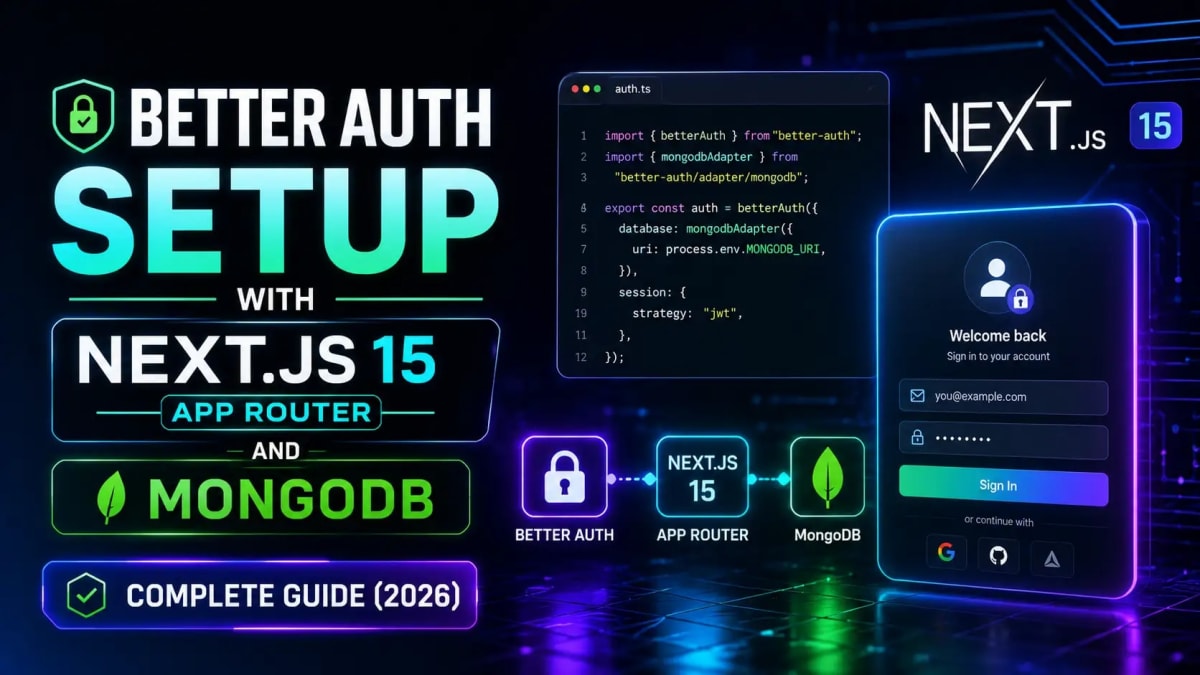
If you have built a Next.js application in the last three years, you have probably hit the authentication wall at least once. NextAuth.js later renamed Auth.js was the go-to solution, but anyone who has tried setting up credentials-based auth, custom session callbacks, or non-standard providers knows the pain: confusing v4 to v5 breaking changes, documentation that assumes you already know what you are doing, and a configuration object that somehow gets more cryptic the more you customize it.
In September 2025, something significant happened: the Auth.js core team officially joined Better Auth. Auth.js now receives only security patches. Better Auth is the recommended path for new projects and increasingly for migrations too. If you are starting a Next.js 15 project in 2026 and need authentication, Better Auth is what you should be using. This guide covers a complete setup from scratch for Next.js 15 App Router with MongoDB the stack that most MERN developers are already running including email and password authentication, Google OAuth, route protection via middleware, and how to use sessions in both server and client components.
Why Better Auth replaced Auth.js and what that means for your project
How to set up Better Auth with the native MongoDB driver alongside your existing Mongoose models
Complete
auth.tsconfiguration with email/password and Google OAuthThe API route handler, auth client, and middleware each file explained line by line
How to read sessions in Server Components and Client Components correctly
Side-by-side migration comparison if you are moving from NextAuth.js v4
Eight common gotchas that will trip you up if you are not warned
Why Better Auth Is the Right Choice for Next.js in 2026
Before getting into the setup, it is worth understanding why Better Auth specifically because there are other options and "the original team moved here" is not a complete answer on its own.
Better Auth is TypeScript-first by design. Not TypeScript-compatible TypeScript-first, meaning the types are written from the ground up, not bolted on. Every plugin, every adapter, every configuration option is fully typed. This matters enormously once you start adding features like two-factor authentication, organization management, or magic link flows. In Auth.js, adding these features often meant hunting for community packages with incomplete types. In Better Auth, the plugin system ships with full inference.
The second advantage is predictability. Auth.js made heavy use of session callbacks and JWT callbacks that often felt like black boxes you would set a property in one callback and have to remember to pass it through every subsequent callback. Better Auth exposes a simpler mental model: your auth.ts file is the single source of truth, the API route exposes it over HTTP, and the client library provides hooks and methods to interact with it. No callback chains to thread through.
For MongoDB specifically, Better Auth ships an official MongoDB adapter that uses the native driver. It creates its own collections users, sessions, accounts, and verifications in whatever database you point it at. Your existing Mongoose models and collections are untouched. Both connections can point at the same MongoDB database without conflict, which is exactly what you want when adding auth to an existing MERN project.
The third reason: Auth.js is officially in maintenance mode. The announcement on GitHub in September 2025 made it clear the core team moved to Better Auth, and Auth.js will receive critical security fixes but no new features. If you start a project today on Auth.js, you are starting on a library with a visible sunset. That is a risk you do not need to take. Now, let us build something.
What We Are Building
By the end of this guide, you will have a Next.js 15 App Router project with the following working:
Email and password registration and login
Google OAuth sign-in
Session persistence in MongoDB (no JWT-only flow proper server-side sessions)
Middleware protecting specific routes so unauthenticated users are redirected
Session access in both Server Components and Client Components
The stack: Next.js 15 App Router, Better Auth, MongoDB native driver (for auth), Mongoose (for your app data), TypeScript. If you are not using Mongoose for anything else, you can skip the Mongoose parts they are only relevant for developers who already have Mongoose in their project and need to understand how the two coexist.
Prerequisites and Initial Setup
You need Node.js 20 or higher, a MongoDB instance (local or Atlas), and a Google Cloud project if you want the OAuth flow. Start with a fresh Next.js 15 project if you do not already have one:
npx create-next-app@latest my-app --typescript --app --tailwind
cd my-app
Better Auth and the MongoDB driver are all you need to install:
npm install better-auth mongodbThat is it. No separate adapter package, no peer dependency gymnastics. Better Auth ships the MongoDB adapter as part of the main package.
Environment Variables - What You Actually Need
Create or update your .env.local file. Here is the complete set of variables for this setup:
MONGODB_URI=mongodb://localhost:27017/myapp
BETTER_AUTH_SECRET=your-32-char-random-secret-here
BETTER_AUTH_URL=http://localhost:3000
NEXT_PUBLIC_APP_URL=http://localhost:3000
GOOGLE_CLIENT_ID=your-google-client-id
GOOGLE_CLIENT_SECRET=your-google-client-secret
BETTER_AUTH_SECRET is a random string used to sign sessions and tokens. It needs to be at least 32 characters and must not be guessable. Do not use your MongoDB URI or any other value that carries semantic meaning generate something random. Our JWT secret key generator produces a cryptographically random 256-bit hex string that works perfectly here: generate one, copy it, paste it into your .env.local.
For the Google credentials, go to Google Cloud Console, create a project if you have not, enable the Google Identity API, create OAuth 2.0 credentials, and add http://localhost:3000/api/auth/callback/google as an authorized redirect URI for local development. When you deploy, add your production URL as well.
MongoDB Connection for Better Auth
This is the step most guides gloss over, and it is the one that causes the most confusion for Mongoose users. Better Auth requires the native MongoDB driver, not Mongoose. The two are different things: Mongoose is a schema-based modeling library built on top of the native driver. Better Auth needs the native driver directly because it manages its own schema internally.
Create lib/mongodb.ts:
import { MongoClient } from "mongodb";

const uri = process.env.MONGODB_URI!;

if (!uri) {
  throw new Error("MONGODB_URI is not defined in your environment variables.");
}

const options = {};

let client: MongoClient;
let clientPromise: Promise<MongoClient>;

if (process.env.NODE_ENV === "development") {
  const globalWithMongo = global as typeof globalThis & {
    _mongoClientPromise?: Promise<MongoClient>;
  };

  if (!globalWithMongo._mongoClientPromise) {
    client = new MongoClient(uri, options);
    globalWithMongo._mongoClientPromise = client.connect();
  }
  clientPromise = globalWithMongo._mongoClientPromise;
} else {
  client = new MongoClient(uri, options);
  clientPromise = client.connect();
}

export default clientPromise;
The global caching pattern here is important for development. In Next.js development mode, hot reloading causes module re-evaluation on every file change, which means you would be creating a new MongoDB connection on every save without this pattern. In production, that problem does not exist the module evaluates once so we just create a fresh connection.
If you already have a Mongoose connection in your project (a lib/mongoose.ts or similar), keep it exactly as it is. Your Mongoose models continue to work independently. Better Auth's collections will appear alongside your existing collections in the same MongoDB database, which is perfectly fine.
Creating the Better Auth Configuration (auth.ts)
Create lib/auth.ts. This is the single configuration file that defines everything about how auth works in your application:
import { betterAuth } from "better-auth";
import { mongodbAdapter } from "better-auth/adapters/mongodb";
import clientPromise from "./mongodb";

export const auth = betterAuth({
  database: mongodbAdapter(await clientPromise.then((c) => c.db())),
  emailAndPassword: {
    enabled: true,
    requireEmailVerification: false,
  },
  socialProviders: {
    google: {
      clientId: process.env.GOOGLE_CLIENT_ID!,
      clientSecret: process.env.GOOGLE_CLIENT_SECRET!,
    },
  },
  trustedOrigins: [
    process.env.BETTER_AUTH_URL!,
    process.env.NEXT_PUBLIC_APP_URL!,
  ],
  session: {
    expiresIn: 60 * 60 * 24 * 7,
    updateAge: 60 * 60 * 24,
  },
});
A few things worth noting here. requireEmailVerification: false is set for simplicity users can log in immediately after registration without verifying their email. Better Auth supports email verification out of the box with a simple plugin; add it when you are ready. The session.expiresIn value is in seconds the above sets a seven-day session. updateAge controls how often the session expiry gets refreshed: here, it extends on each request if the session is more than 24 hours old. Adjust both based on your security requirements.
When your application starts, Better Auth will automatically create four collections in your MongoDB database: user, session, account, and verification. You do not need to create these manually. If you want to customize the collection names to avoid conflicts with existing collections, pass a modelName option to the mongodbAdapter check the Better Auth MongoDB adapter documentation for the exact syntax.
The API Route Handler
Better Auth exposes all its authentication endpoints sign in, sign out, sign up, session retrieval, OAuth callbacks through a single catch-all API route. Create app/api/auth/[...all]/route.ts:
import { auth } from "@/lib/auth";
import { toNextJsHandler } from "better-auth/next-js";

export const { POST, GET } = toNextJsHandler(auth);
That is the entire file. toNextJsHandler converts Better Auth's handler into Next.js route handler format. Every request to /api/auth/* flows through here Google OAuth callbacks, email/password endpoints, session endpoints, everything. The folder name [...all] is intentional: Better Auth expects this exact pattern. Do not rename it to [...nextauth] or anything else.
Setting Up the Auth Client
The auth client is the browser-side library that your components use to sign in, sign out, and read the session. Create lib/auth-client.ts:
import { createAuthClient } from "better-auth/react";

export const authClient = createAuthClient({
  baseURL: process.env.NEXT_PUBLIC_APP_URL,
});

export const { signIn, signOut, signUp, useSession } = authClient;
Notice that NEXT_PUBLIC_APP_URL is a public environment variable it is safe to expose to the browser because it is just your own domain. Never put your BETTER_AUTH_SECRET, MONGODB_URI, or GOOGLE_CLIENT_SECRET in a NEXT_PUBLIC_ variable. Those are server-only values and exposing them to the client is a serious security issue. For a full breakdown of which secrets to protect and how, see our guide on Next.js server actions security.
Protecting Routes with Middleware
Better Auth provides a lightweight helper for checking whether a session cookie is present in middleware, without making a database round-trip on every request. Create middleware.ts in your project root:
import { NextRequest, NextResponse } from "next/server";
import { getSessionCookie } from "better-auth/cookies";

export async function middleware(request: NextRequest) {
  const sessionCookie = getSessionCookie(request);

  if (!sessionCookie) {
    const loginUrl = new URL("/login", request.url);
    loginUrl.searchParams.set("from", request.nextUrl.pathname);
    return NextResponse.redirect(loginUrl);
  }

  return NextResponse.next();
}

export const config = {
  matcher: [
    "/dashboard/:path*",
    "/profile/:path*",
    "/settings/:path*",
  ],
};
getSessionCookie reads the Better Auth session cookie from the incoming request headers. It does not validate the session against the database it only checks whether the cookie exists. This is intentional: database validation on every middleware execution would add latency to every single request, including static assets. For routes where you need to verify the session is actually valid (not just present), do the full check inside the Server Component or Route Handler using auth.api.getSession().
The from query parameter in the redirect URL stores where the user was trying to go, so your login page can redirect them back after successful authentication. This is a small UX detail that makes a real difference.
One important note: if you are on Next.js 16+, the middleware file may be named proxy.ts instead of middleware.ts. Check the Next.js release notes for your version the API is identical, only the filename changed.
Reading Sessions in Server Components
In a Next.js 15 App Router Server Component, you call auth.api.getSession() directly. This hits the database and returns the full session object including user details:
import { auth } from "@/lib/auth";
import { headers } from "next/headers";
import { redirect } from "next/navigation";

export default async function DashboardPage() {
  const session = await auth.api.getSession({
    headers: await headers(),
  });

  if (!session) {
    redirect("/login");
  }

  return (
    <main>
      <h1>Welcome back, {session.user.name}</h1>
      <p>Email: {session.user.email}</p>
    </main>
  );
}
The headers() call reads the incoming request headers, which Better Auth uses to find the session cookie. The await headers() pattern (with the outer await) is required in Next.js 15 because the headers() function is now asynchronous. If you are on Next.js 14, remove the outer await. The double-check with middleware plus this Server Component check gives you defense in depth: middleware redirects quickly without a DB hit, and the Server Component verifies the session is genuinely valid.
Reading Sessions in Client Components
For Client Components, use the useSession hook exported from your auth client:
"use client";

import { authClient } from "@/lib/auth-client";

export default function UserMenu() {
  const { data: session, isPending } = authClient.useSession();

  if (isPending) {
    return <div>Loading...</div>;
  }

  if (!session) {
    return (
      <button
        onClick={() =>
          authClient.signIn.social({
            provider: "google",
            callbackURL: "/dashboard",
          })
        }
      >
        Sign in with Google
      </button>
    );
  }

  return (
    <div>
      <span>{session.user.name}</span>
      <button onClick={() => authClient.signOut({ fetchOptions: { onSuccess: () => { window.location.href = "/"; } } })}>
        Sign out
      </button>
    </div>
  );
}
isPending is true on the initial render before the session is fetched. Always handle this state otherwise you will show a signed-out UI briefly even for authenticated users, which causes a jarring flash. For email and password sign in, use authClient.signIn.email({ email, password, callbackURL }). For sign up, use authClient.signUp.email({ email, password, name, callbackURL }).
Migrating from NextAuth.js v4
If you have an existing project on NextAuth v4 and you are migrating to Better Auth, here is a side-by-side reference for the most common patterns. The concepts map cleanly, the syntax is different.
Configuration file:
// NextAuth v4 — pages/api/auth/[...nextauth].ts
import NextAuth from "next-auth";
import GoogleProvider from "next-auth/providers/google";

export default NextAuth({
  providers: [
    GoogleProvider({
      clientId: process.env.GOOGLE_CLIENT_ID!,
      clientSecret: process.env.GOOGLE_CLIENT_SECRET!,
    }),
  ],
  callbacks: {
    session({ session, token }) {
      session.user.id = token.sub!;
      return session;
    },
  },
});

// Better Auth — lib/auth.ts
import { betterAuth } from "better-auth";
import { mongodbAdapter } from "better-auth/adapters/mongodb";
import clientPromise from "./mongodb";

export const auth = betterAuth({
  database: mongodbAdapter(await clientPromise.then((c) => c.db())),
  socialProviders: {
    google: {
      clientId: process.env.GOOGLE_CLIENT_ID!,
      clientSecret: process.env.GOOGLE_CLIENT_SECRET!,
    },
  },
});
Getting session server-side:
// NextAuth v4
import { getServerSession } from "next-auth/next";
import { authOptions } from "@/pages/api/auth/[...nextauth]";
const session = await getServerSession(req, res, authOptions);

// Better Auth
import { auth } from "@/lib/auth";
import { headers } from "next/headers";
const session = await auth.api.getSession({ headers: await headers() });
Client-side session hook:
// NextAuth v4
import { useSession } from "next-auth/react";
const { data: session, status } = useSession();

// Better Auth
import { authClient } from "@/lib/auth-client";
const { data: session, isPending } = authClient.useSession();
One important database note when migrating: Better Auth uses a completely different schema from NextAuth's adapter tables. Your existing NextAuth user data will not be automatically migrated you will need to write a migration script to map old users into Better Auth's user and account collections. Better Auth's official documentation has a migration guide, but the MongoDB-specific mapping is something you will need to handle manually since MongoDB schemas are flexible. Plan for all existing users to receive a password reset or re-login prompt after migration. If you can afford a brief maintenance window, this is the cleanest approach. For a deeper dive into securing your application during and after migration, our Next.js server actions security guide covers the patterns you need.
Eight Common Gotchas (Read Before You Debug for Hours)
1. BETTER_AUTH_SECRET not set correctly. If you see a "secret is required" error on startup, your environment variable is either not set, has quotes around the value, or the .env.local file is in the wrong directory. The secret must be at least 32 characters. Use our JWT secret generator to create one, paste it without quotes.
2. MongoDB "awaiting connection" errors with the adapter. The mongodbAdapter needs a resolved database connection, not a promise. The pattern in the auth.ts above uses await clientPromise.then((c) => c.db()). If you get connection errors, double-check that your clientPromise is resolving correctly and that MONGODB_URI is properly set.
3. Google OAuth redirect URI mismatch. The callback URL you register in Google Cloud Console must exactly match what Better Auth uses: http://localhost:3000/api/auth/callback/google for local dev and https://yourdomain.com/api/auth/callback/google for production. A trailing slash, http vs https, or wrong port will cause a 403 from Google. To debug your auth tokens and verify what is being sent, our JWT decoder can inspect the tokens if you need to troubleshoot OAuth flows.
4. Session shows null in Server Components despite being logged in. The headers() call must be awaited in Next.js 15: headers: await headers(). Without the await, you pass an unresolved promise and Better Auth cannot read the session cookie. Also confirm that trustedOrigins in your auth config includes both your dev and production URLs.
5. Middleware running on API routes and causing loops. Better Auth's own API routes (/api/auth/*) must be excluded from your middleware matcher. Add a negative lookahead to your matcher: "/dashboard/:path*" is fine, but if you accidentally match /api/*, you will intercept Better Auth's own session endpoints and create an infinite redirect loop.
6. useSession returns undefined on first render. This is expected the hook makes an async request to fetch the session. Always check isPending before rendering session-dependent UI. Showing a loading skeleton while isPending is true prevents the flash of unauthenticated content.
7. The user collection and your Mongoose User model sharing the same collection name. Better Auth creates a collection called user (lowercase, singular). If your Mongoose User model also defaults to a collection called users (Mongoose pluralizes by default), there is actually no conflict they use different names. But if you have a Mongoose model explicitly mapped to user (singular), rename one of them. Better Auth's adapter accepts a modelName option for exactly this reason.
8. NEXT_PUBLIC_ variables not available at runtime. NEXT_PUBLIC_APP_URL must be set at build time, not just runtime, for client components to see it. If you are deploying to Vercel, add it in the Environment Variables section of your project settings and trigger a fresh deployment not just a redeployment from cache. If you are using Docker, make sure it is passed as a build arg, not just a runtime env.
Frequently Asked Questions
Can I use Better Auth with Mongoose instead of the native MongoDB driver?
Not directly. Better Auth's MongoDB adapter is built for the native MongoDB driver (mongodb npm package), not Mongoose. However, you can run both in the same project: use the native driver for Better Auth's auth collections, and continue using Mongoose for your application's business data. Both connections can point to the same MongoDB database. Create a separate lib/mongodb.ts file (as shown in this guide) for the native driver connection, and keep your existing Mongoose connection file separate. They will not interfere with each other.
Does Better Auth work with MongoDB Atlas?
Yes, completely. Replace mongodb://localhost:27017/myapp in your MONGODB_URI with your Atlas connection string the format mongodb+srv://user:password@cluster.mongodb.net/dbname. Better Auth creates its own collections on first run. Make sure your Atlas cluster IP access list includes your deployment environment (or use 0.0.0.0/0 during development, then lock it down before going to production).
How do I add two-factor authentication (2FA) to Better Auth?
Better Auth ships a twoFactor plugin in the main package. Add it to your auth.ts: import { twoFactor } from "better-auth/plugins", then include it in the plugins array. The plugin handles TOTP (Google Authenticator compatible), backup codes, and trusted device management. The Better Auth Next.js integration docs have a complete walkthrough of the 2FA plugin setup.
What happened to NextAuth.js — can I still use it?
NextAuth.js is now Auth.js, and in September 2025 the Auth.js core team joined Better Auth. Auth.js continues to receive security patches and critical bug fixes, but new features are being developed in Better Auth. If you have a stable production application on Auth.js v5, there is no urgent reason to migrate immediately it will continue to receive security updates. But for new projects in 2026, starting on Better Auth is the forward-compatible choice. The official Auth.js migration guide at authjs.dev now redirects you toward Better Auth migration documentation.
How do I protect API Route Handlers (not just pages) with Better Auth?
In an API Route Handler, call auth.api.getSession() directly with the incoming request headers. Example:
import { auth } from "@/lib/auth";
import { headers } from "next/headers";
import { NextResponse } from "next/server";

export async function GET() {
  const session = await auth.api.getSession({
    headers: await headers(),
  });

  if (!session) {
    return NextResponse.json({ error: "Unauthorized" }, { status: 401 });
  }

  return NextResponse.json({ userId: session.user.id });
}
Do not rely solely on middleware for API route protection. Middleware handles page routes well, but for API routes you want an explicit session check inside the handler so you can return proper 401 responses.
How is Better Auth different from Clerk or Auth0?
Clerk and Auth0 are fully managed services your user data lives on their servers, you pay per monthly active user, and you are dependent on their uptime and pricing. Better Auth is a self-hosted library: your user and session data lives in your own MongoDB database, you pay nothing for auth itself, and you own the entire data layer. The trade-off is setup complexity Clerk's five-minute integration is genuinely faster than the guide above. But if data ownership, cost at scale, or avoiding vendor lock-in matters to you, Better Auth (self-hosted) is the right call.
Does Better Auth handle password hashing automatically?
Yes. Better Auth hashes passwords using bcrypt before storing them. You never store plain-text passwords and you do not need to handle the hashing yourself. The number of bcrypt rounds is configurable in emailAndPassword options if you want to increase the cost factor for higher security. If you want to understand what bcrypt is actually doing under the hood, our bcrypt hash generator and verifier lets you generate and inspect hashes interactively.
Can I add custom fields to the Better Auth user object?
Yes, using the user.additionalFields option in your auth.ts configuration. You define the fields, their types, and whether they are required at registration. Better Auth will include them in the MongoDB user document and expose them through the session object. This is the recommended approach for things like role, plan, or onboardingComplete flags. The alternative storing extra user data in a separate Mongoose collection keyed by Better Auth's user ID works fine too if you prefer keeping auth data completely separate from application data.
Tagged in
Continue Reading
All Articles

Level Up Your Workflow
Free tools mentioned in this article
Unix Timestamp Converter
Convert Unix timestamps to readable dates and back instantly. View the current epoch time, convert any timestamp, and see results in any timezone.
SVG Path Builder & Visualizer
An interactive, client-side SVG path builder and visualizer tool. Generate optimized cubic and quadratic Bezier vector code instantly on a grid canvas.
Markdown to HTML Converter
Convert Markdown to clean HTML instantly with live preview. Supports GitHub Flavored Markdown, tables, code blocks, and task lists. Free and browser-based.
Cron Job Expression Generator & Explainer
Generate cron expressions visually and instantly translate any cron schedule into plain English. Includes GitHub Actions, Vercel, and AWS presets.