
Cursor vs Windsurf vs GitHub Copilot in 2026: Which AI Code Editor Actually Wins?
Author
Muhammad Awais
Published
May 24, 2026
Reading Time
11 min read
Views
34.1k
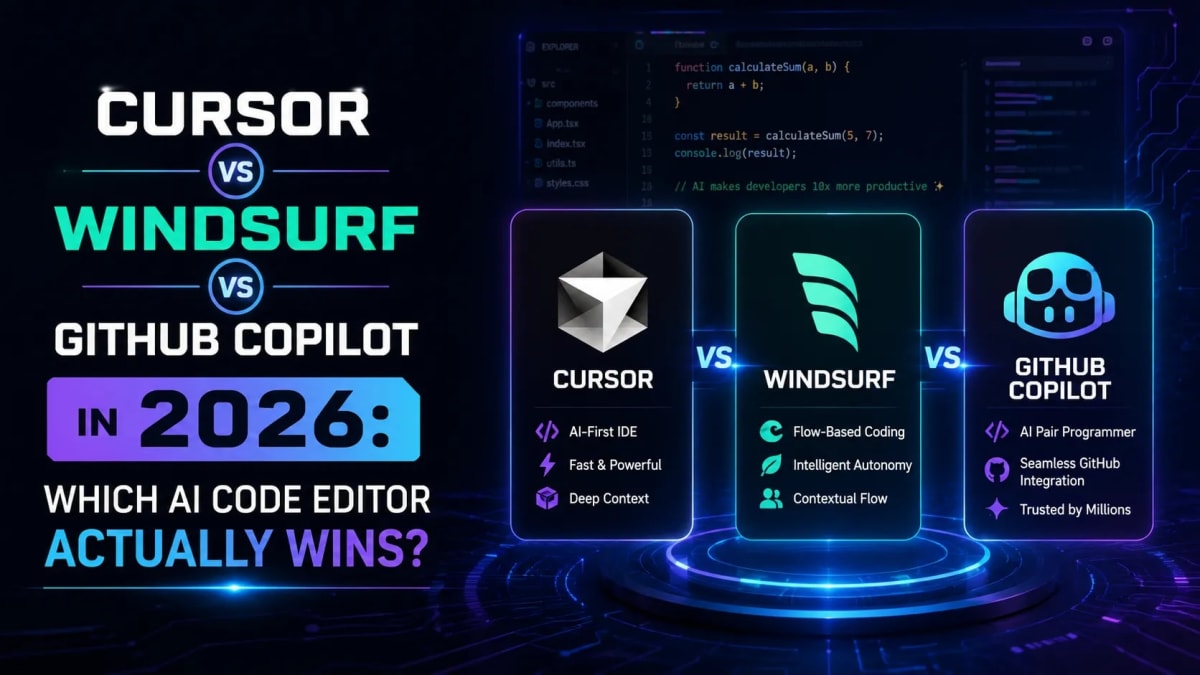
Quick verdict (read the full thing for the nuance):
Cursor : best for developers who want maximum AI control and the strongest multi-file agentic workflow
Windsurf : best for large codebases, JetBrains users, and developers who prefer autonomous execution over manual review
GitHub Copilot : best for enterprise teams, anyone staying in VS Code or JetBrains, and budget-conscious developers
I have used all three of these tools on real production projects over the past six months a Next.js SaaS app, a Node.js API service, and a TypeScript monorepo. The answer to "which one is best" is genuinely it depends, but not in the frustrating vague way that phrase usually means. It depends on specific things about how you work, and once you know which category you fall into, the choice is actually pretty clear. Here is the honest comparison.
The State of AI Code Editors in 2026
The AI coding tool market moved faster in the past 12 months than in the previous three years combined. Cursor crossed $2.4 billion in annual recurring revenue in Q1 2026, making it the fastest B2B SaaS tool to reach that milestone. GitHub Copilot quietly hit 4.7 million paid subscribers with 90% of Fortune 100 companies using it. And Windsurf had the most chaotic corporate story in developer tooling history OpenAI tried to buy it for $3 billion, Microsoft blocked the deal, Google hired the founding CEO for $2.4 billion, and Cognition acquired the remaining product and team for $250 million. All in a single month.
The dramatic part is that despite all of this corporate turbulence, Windsurf the product kept shipping. The tool that exists in 2026 is genuinely strong. The question is whether the acquisition uncertainty matters for your decision and for most individual developers, it does not. For enterprise procurement teams, it is a real consideration.
One thing that has fundamentally changed in 2026: the model underneath no longer differentiates these tools. All three offer access to frontier models Claude Opus 4, GPT-4o, Gemini 3.5. The real competition is at the IDE layer: how deeply AI is integrated into the editing experience, how much codebase context the tool maintains, and how capable the agentic workflows are. A great model inside a mediocre editor produces mediocre results. That is where the actual differences are.
The Quick Comparison Table
Feature | Cursor | Windsurf | GitHub Copilot |
|---|---|---|---|
Price (Pro) | $20/month | $20/month | $10/month |
Free tier | Yes (limited) | Yes (generous) | Yes (VS Code) |
Context window | 1M tokens | 1M tokens | 64K tokens |
Base IDE | VS Code fork | VS Code + JetBrains | VS Code + JetBrains |
MCP support | Yes | Yes | Yes (Agent Mode) |
Agent mode | Composer (strong) | Cascade (autonomous) | Agent Mode (improving) |
Best for | Control + transparency | Speed + autonomy | Enterprise + budget |
Cursor: Maximum AI Control
Cursor is the tool that developers fight their company procurement teams to expense. That says something real about how much individual developers value it versus what enterprise IT departments think of it. It is a VS Code fork with AI deeply wired into every layer of the editing experience not bolted on as an extension.
The feature that converts people is Tab completion. It is not autocomplete in the traditional sense. Cursor predicts not just what you are about to type but what you are likely to change next, based on recent edits across files. When you rename a function, it notices and suggests renaming the related calls. When you change a TypeScript interface, it flags the components downstream. For large Next.js projects with deeply interconnected types and components, this context-awareness genuinely changes the editing experience.
Composer Cursor's agent mode works in diff-by-diff style. It proposes changes, shows you exactly what it is going to do, and waits for approval before executing. This is the "control" half of the Cursor philosophy. You are never surprised by what changed. For codebases where you need to review every line before it ships, that transparency matters more than speed.
MCP support in Cursor requires manually configuring .cursor/mcp.json, but once set up, it connects to GitHub, Linear, Notion, Postgres, and a growing library of community-built servers. For developers building agentic workflows into their development process, this integration is genuinely useful.
Where Cursor falls short: It is VS Code only no JetBrains support. If your team uses IntelliJ or WebStorm, Cursor is not an option without a full IDE switch. The free tier is limited enough that serious use requires the $20/month Pro plan. And some developers find the diff-by-diff approval flow in Composer slower than Windsurf's more autonomous Cascade for pure task execution speed.
Windsurf: Maximum Autonomy
Windsurf's philosophy is the opposite of Cursor's. Where Cursor optimises for control and transparency, Windsurf optimises for getting things done with minimal friction. Cascade its agent treats your workspace as a continuous stream rather than a snapshot. It indexes your entire codebase automatically using RAG-based retrieval, maintains a ~200,000-token effective context window without any manual file tagging, and executes multi-step tasks end-to-end rather than pausing for approval at each change.
In practice: you describe a feature, Cascade plans the implementation, writes the code across multiple files, runs tests if you have them, and presents a completed diff. For experienced developers who trust the AI enough to review output after the fact rather than during, this is significantly faster than Cursor's step-by-step approach.
The JetBrains plugin is Windsurf's most significant competitive advantage over Cursor. For backend developers on IntelliJ, Java/Kotlin teams, and anyone whose organization standardized on JetBrains IDEs, Windsurf is the only serious AI tool in the category that works natively in that environment without switching editors entirely.
The free tier is genuinely usable more generous than Cursor's. The Pro plan raised from $15 to $20/month in March 2026, bringing it to price parity with Cursor. So the cost argument for Windsurf over Cursor no longer exists the choice is now purely about workflow preference.
The acquisition elephant in the room: Windsurf is now owned by Cognition (the company behind Devin, the autonomous coding agent) after a chaotic 2025 that saw Google poach the founding team for $2.4 billion. The product has continued shipping and improving, but for enterprise teams evaluating long-term tool risk, the ownership uncertainty is a real factor. Individual developers who want the best tool today and will reassess in six months should not worry about it.
GitHub Copilot: The Enterprise Standard
GitHub Copilot in 2026 is a fundamentally different product from the autocomplete-only tool it was in 2022. Agent Mode introduced in early 2025 and significantly improved through 2026 handles multi-file changes, terminal command execution, pull request drafting, and repository-level understanding. It is no longer just inline completion.
The reason 90% of Fortune 100 companies use it is not because it is the most capable tool Cursor's agent infrastructure is stronger for most individual developer workflows. It is because Copilot fits into existing enterprise systems without friction. It works in VS Code, JetBrains, Vim, Neovim, and every major IDE. It integrates with GitHub PRs, code review, and the rest of the Microsoft/GitHub stack. It has the compliance certifications and security posture that enterprise procurement requires. For teams that can not get approval to install a non-standard IDE, Copilot is the only real choice.
The context window is Copilot's most significant limitation 64K tokens versus 1 million for Cursor and Windsurf. On large codebases where you want the AI to understand how a function in one module interacts with five other modules, Copilot hits a ceiling that the other two do not. Suggestions within a single file are strong. Cross-file understanding is where it shows the limits of its approach.
At $10/month for the individual tier, it is half the price of Cursor and Windsurf Pro. For developers who use AI tools moderately code completion, occasional agent tasks, PR summaries Copilot delivers strong value. For developers who use AI coding tools as the primary way they write code all day, the capability gap with Cursor or Windsurf at Pro tier is noticeable enough that the $10 price difference stops mattering.
Which One Should You Actually Use?
Here is the honest decision framework based on actual use cases rather than benchmark scores:
Choose Cursor if: You are a VS Code user, you want to review every AI change before it applies, you work on Next.js or TypeScript-heavy frontends where cross-file type awareness matters, and you want the most mature agentic coding workflow available.
Choose Windsurf if: You use JetBrains IDEs and can not switch, you work on large codebases where automatic context retrieval saves significant setup time, you prefer autonomous task completion over step-by-step review, or you want the best free tier available.
Choose GitHub Copilot if: You are in an enterprise environment with strict security and compliance requirements, your organization already uses GitHub and Microsoft tools, you need something that works across multiple IDEs, or you want solid AI assistance at the lowest price point.
Use multiple tools if: Many senior developers in 2026 use Cursor for day-to-day development and Copilot for GitHub PR review and repository-level tasks. They do not conflict. If you can expense one, get Cursor. If your company pays for Copilot, keep using it for GitHub workflows.
Getting the Most Out of Any AI Code Editor
The productivity gap between a skilled AI coding tool user and an unskilled one is larger than the gap between the tools themselves. A developer who writes precise, context-rich prompts and reviews AI output critically will get dramatically better results from any of these three tools than a developer who types vague requests and accepts the first output.
For Next.js and TypeScript projects specifically, always give the AI your type definitions upfront. Paste your relevant interfaces into the conversation context before asking for component implementations. The output quality improvement is substantial the AI generates code that matches your actual data shapes instead of inventing plausible-looking but incompatible types. Our guide on vibe coding in 2026 covers the prompting patterns that consistently produce better output across all AI IDEs.
Security is the non-obvious concern with all three tools. AI-generated code has 2.74x more security vulnerabilities than hand-written code on average, according to independent analysis from 2026. Authentication flows, database access patterns, input validation, and environment variable handling all deserve manual review regardless of which tool generated them. The speed gains from AI coding are real but they need to be paired with deliberate security review on sensitive code paths.
All three tools now support MCP the Model Context Protocol standard that lets AI models connect to external tools and data sources. Understanding how MCP works is increasingly important as these coding tools expand beyond code completion into agentic workflows that touch your databases, project management tools, and deployment pipelines. Our guide on what MCP is and how it works covers the standard in depth — worth reading before you start connecting your AI IDE to production systems.
Frequently Asked Questions
Is Cursor better than GitHub Copilot in 2026?
For individual developers doing heavy AI-assisted coding daily, Cursor's deeper codebase context (1M tokens vs Copilot's 64K), superior Tab completion, and more mature agent workflow make it the stronger tool. For enterprise teams, developers on JetBrains, or anyone who needs compliance-grade security controls, Copilot's ecosystem fit and $10/month price often outweigh the capability difference.
What happened to Windsurf - is it safe to use in 2026?
Windsurf had a chaotic 2025: Google hired the founding CEO and co-founder for $2.4 billion, and Cognition (makers of autonomous agent Devin) acquired the remaining product and team for $250 million. The product itself has continued shipping and improving through all of this. For individual developers, the tool is safe to use. For enterprise teams with long-term vendor stability requirements, the acquisition history is worth considering in procurement decisions.
Can I use Cursor and GitHub Copilot at the same time?
Yes, many developers do. Cursor handles day-to-day coding in the IDE, while Copilot is used for GitHub-native workflows: PR summaries, code review comments, and repository-level chat. The tools do not conflict. If your employer pays for Copilot and you pay for Cursor personally, running both is a reasonable setup.
Does Cursor work with Next.js and TypeScript projects?
Cursor works exceptionally well with Next.js and TypeScript. Its cross-file context awareness is particularly valuable for TypeScript projects where interfaces and types span multiple files Cursor understands how changes in one file affect types downstream. Tab completion in TypeScript-heavy codebases is one of the most-cited reasons developers switch from Copilot to Cursor.
Which AI code editor has the best free tier in 2026?
Windsurf has the most generous free tier among the three. It is genuinely usable for light-to-moderate development work, which is why many developers start with Windsurf before deciding whether to upgrade or switch. Cursor's free tier is more limited. GitHub Copilot's free tier works well for VS Code users but restricts the number of completions and chat interactions per month.
What is the difference between Cursor Composer and Windsurf Cascade?
Both are agent modes that handle multi-file changes, but they have different execution philosophies. Cursor Composer proposes changes diff-by-diff and waits for your approval before applying each step maximum control, slightly slower. Windsurf Cascade executes tasks end-to-end autonomously and presents the completed result for review maximum speed, less granular oversight. The right choice depends on how much you trust AI-generated code without step-by-step review.
Tagged in
Continue Reading
All Articles

Level Up Your Workflow
Free tools mentioned in this article
Robots.txt & LLMs.txt Generator
Generate robots.txt and llms.txt files instantly with AI bot presets for GPTBot, ClaudeBot, and PerplexityBot. Control who crawls your site in 2026.
PX to REM Converter
Convert px to rem and rem to px instantly - bidirectional, custom base font size, bulk converter, and CSS snippet output. Free, no signup.
Fancy Font & Stylish Text Generator
Transform your text into 50+ stylish and aesthetic fonts instantly. Perfect for Instagram bios, TikTok captions, and PUBG nicknames. One-click copy & paste.
Tailwind SVG Background Pattern Generator
The ultimate visual builder for Dot Grids, Plus Signs, and geometric SVG background patterns. Generate optimized Tailwind CSS classes for your SaaS landing pages.