
Claude Code Skills: The Complete Guide to the Hottest Developer Trend of 2026
Author
Muhammad Awais
Published
May 21, 2026
Reading Time
12 min read
Views
20.2k
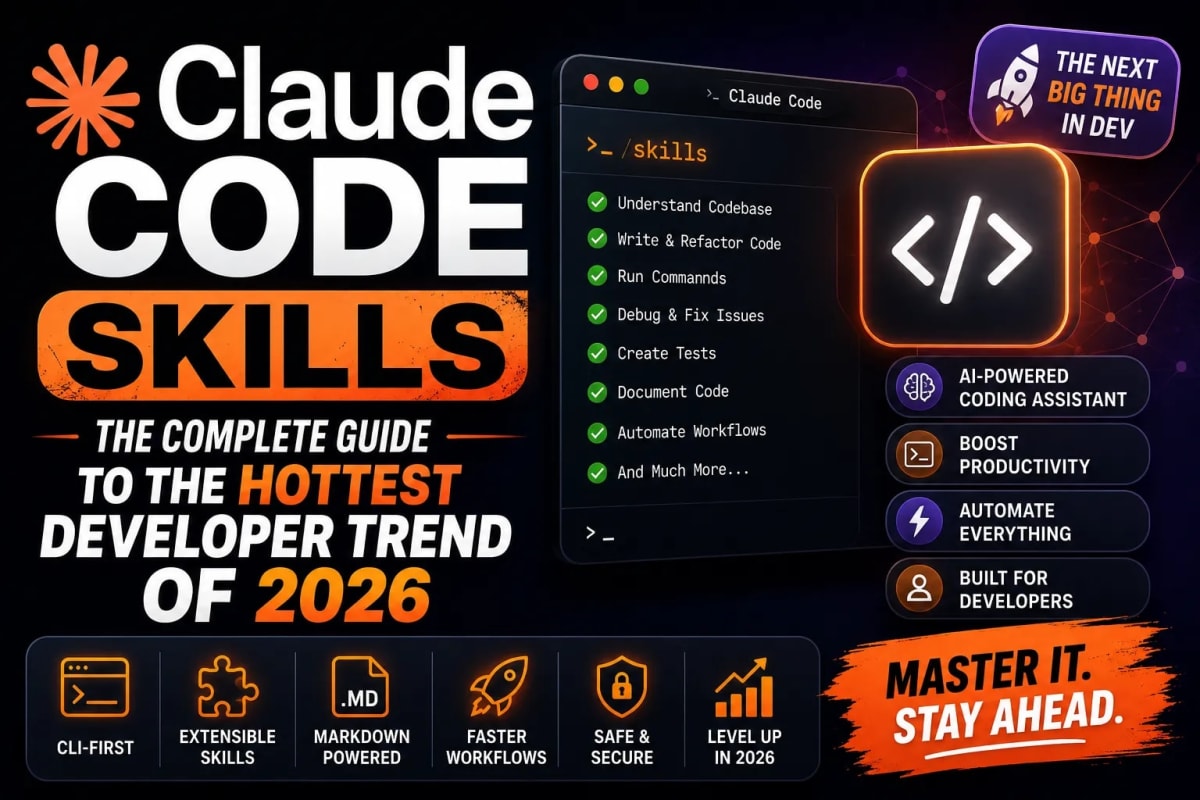
Something happened on GitHub in May 2026 that a lot of developers missed while they were busy shipping. The Claude Code skills ecosystem crossed 15,000 repositories. The most popular framework in that ecosystem obra/superpowers hit 94,000 stars. A single skills toolkit by Matt Pocock picked up over 1,600 stars in one week. This is not a niche corner of the open-source world anymore. Claude Code skills have become the dominant pattern for how serious developers structure their AI coding workflows in 2026, and if you haven't explored them yet, this guide will catch you up completely what they are, how they work, which ones are actually worth installing, and how to write your own.
What Are Claude Code Skills?
Claude Code skills are modular, reusable instruction files that extend what Claude can do inside an AI coding environment. Think of them as a standardized way to teach Claude a repeatable workflow. A skill is typically a SKILL.md file that contains a structured description of when to activate, what steps to follow, what tools to use, and what the expected output looks like. Once installed in your project, Claude reads that file and applies the workflow automatically whenever the right trigger is met.
A skill can be as simple as a documented code review checklist that Claude follows every time you ask it to review a file, or as complex as a multi-stage agent workflow that brainstorms a feature, writes a spec, breaks it into tasks, spins up sub-agents to implement each task independently, runs tests, and presents you with a merge-ready branch. The format is the same in both cases a plain markdown file with a specific structure that Claude Code parses and acts on.
The key difference from just writing a long prompt is persistence and reusability. A prompt lives in your head or in a text file somewhere. A skill lives in your project repository, travels with your codebase, can be shared with your team, versioned in git, and improved over time as your workflow evolves. The coding-agent ecosystem matured past giant hand-written prompts in 2025, and skills are what replaced them.
How Claude Code Skills Actually Work Under the Hood
When you launch a Claude Code session inside a project, Claude automatically scans for skill files in your project's .claude/skills/ directory (or a global skills directory depending on your setup). Each SKILL.md file has a description block at the top that tells Claude what the skill does and when it should be used. Claude reads all of these at the start of the session and holds them in context.
When you ask Claude to do something, it checks whether any installed skill matches the task before deciding how to proceed. If you say "add a new API endpoint," a skill describing your team's REST endpoint conventions activates automatically. If you say "refactor this component," a skill with your team's component patterns kicks in. The activation is based on semantic matching between what you asked and the skill's description not keywords or exact commands. This means well-written skill descriptions activate at the right moment without you having to think about it.
Skills can also chain together. A complex workflow skill can call sub-agent skills, which can themselves call tool skills. This composability is what makes the more advanced frameworks like obra/superpowers powerful they are not a single skill but a library of skills that work together to cover an entire software development lifecycle inside one coding session.
The Skills Landscape in May 2026: What's Actually Trending
The ecosystem is large enough that it can feel overwhelming to navigate. Here is a clear breakdown of the major frameworks and what each one is actually best for.
obra/superpowers — The Full-Lifecycle Framework (94k Stars)
Superpowers is the most complete multi-agent development workflow available as a Claude skill. It is a composable framework that structures the entire software development lifecycle through a series of chained skills: brainstorming, git worktree setup, implementation planning, sub-agent execution, test-driven development, and code review before merging. The workflow walks Claude through refining an idea with structured questions, committing to a design, breaking it into small implementable tasks, dispatching fresh sub-agents per task, and enforcing a RED-GREEN-REFACTOR test discipline before anything merges. Skills trigger automatically once Superpowers is installed, Claude checks for relevant skills before every task without you needing to invoke them manually. Best for teams who want a full opinionated workflow and are willing to invest in the setup.
mattpocock/skills — Type-Safe Workflow Skills (1,600+ Stars in One Week)
Matt Pocock's skills toolkit gained extraordinary momentum in May 2026 due to its TypeScript-first approach. The skills are designed specifically for TypeScript developers and cover typed API design, strict type inference workflows, and structured refactoring patterns that preserve type safety throughout. Each skill is compact, focused, and opinionated. If you build TypeScript projects and felt that general-purpose AI coding was producing types that weren't quite right, this framework is specifically built to fix that. The skills work cross-platform they are compatible with Claude Code, Cursor, Antigravity IDE, and Codex CLI.
rohitg00/awesome-claude-code-toolkit — The Mega Library (135+ Agents, 35+ Skills)
This repository is less a framework and more a curated armory. It includes 135 agents, 35 curated skills, 42 commands, 176+ plugins, 20 hooks, 15 rules, 7 templates, and 14 MCP server configurations all in one place. It was the #1 trending GitHub repository in February 2026. The value here is breadth if you need a specific workflow, this collection almost certainly has something close to what you need that you can install and adapt. The tradeoff is that it requires more judgment to select what is relevant for your project versus installing everything and creating noise in your Claude sessions.
ARIS — Autonomous Research Skills (10.1k Stars)
ARIS stands for Auto-Research-In-Sleep. It is a lightweight, markdown-only skills framework for autonomous research workflows cross-model review loops, idea discovery, and experiment automation. No framework dependency and no vendor lock-in. It works with Claude Code, Codex, and any other LLM agent that reads markdown skill files. This is the go-to choice if your work involves research, documentation generation, or long-form content workflows that benefit from autonomous multi-step processing.
⚡ Optimize Your Claude Prompts for Better Skill Activation — Free Tool
How to Install Claude Code Skills: Step by Step
The installation process varies slightly depending on whether you are installing a global skill (available in all your projects) or a project-level skill (specific to one codebase). Here is the standard approach.
Project-Level Skill Installation
Create a .claude/skills/ directory in your project root. Drop any SKILL.md files you want to use into that directory. Claude Code will pick them up automatically on the next session. That's it. No config file changes, no install commands.
your-project/
├── .claude/
│   └── skills/
│       ├── code-review.md
│       ├── api-endpoint.md
│       └── component-scaffold.md
├── src/
└── package.json
Global Skill Installation
For skills you want available across all your projects like a personal code style enforcer or a documentation generator place them in your global Claude skills directory. On macOS and Linux this is ~/.claude/skills/. On Windows it lives at %USERPROFILE%\.claude\skills\.
Many frameworks like obra/superpowers also provide a CLI installer that handles the directory creation and file placement automatically:
# Example: installing a community skills pack
npx skillkit install obra/superpowers

# Or cloning and symlinking manually
git clone https://github.com/obra/superpowers ~/.claude/skills/superpowers
How to Write Your Own Claude Code Skill
Writing a custom skill is more straightforward than most developers expect. The format is a markdown file with a specific structure. Here is the minimal viable anatomy of a SKILL.md:
# Skill Name

## Description
[1-2 sentences explaining what this skill does and WHEN Claude should activate it.
Be specific — vague descriptions lead to missed activations.]

## Trigger Conditions
- When the user asks to create a new API route
- When a file is being added to /src/app/api/

## Steps
1. Check existing API routes in /src/app/api/ for naming patterns
2. Create the route file following the Next.js App Router convention
3. Add TypeScript types matching the existing codebase patterns
4. Write a basic test in /src/tests/api/
5. Update the API documentation in /docs/api.md if it exists

## Output
A working API route file, a test file, and any doc updates.

## Notes
- Always use zod for request validation
- Never hardcode environment variables — reference process.env directly
- Follow the error response format in /src/lib/errors.ts
The most important part of writing a skill is the Description field. Claude activates skills by reading this and deciding if it matches the current task. If your description is too vague "helps with coding tasks" the skill will either activate when it shouldn't or not activate when it should. If your description is specific "activates when creating a new Next.js App Router API endpoint" Claude will apply it precisely when you need it. If you find Claude isn't picking up your skill, the description is almost always the thing to fix first.
Skills + MCP: The Stack That Runs in 2026
The most powerful AI coding setups in 2026 combine Claude Code skills with MCP server connections. Skills define the workflow the steps Claude follows when performing a task. MCP servers provide the real-world connections the ability to read from your database, push to GitHub, query your design system, or check your deployment status. Together they give Claude both the process intelligence and the tool access to execute complex, multi-step development tasks autonomously.
A practical example: a "ship feature" skill that orchestrates the full workflow creates a branch, scaffolds the code following your conventions, writes tests, runs the test suite through an MCP-connected CI tool, and opens a pull request through the GitHub MCP server all triggered by a single natural language instruction. This kind of end-to-end automation is what the most productive solo developers and small teams are running today. If you haven't explored MCP yet, our complete guide on Model Context Protocol for developers covers everything you need to get it wired up alongside your skills.
Skills vs Prompts vs Agents: When to Use What
This is where developers often get confused, so a clear mental model helps. Use a prompt for one-off tasks that do not repeat. Something you need done once, or something too specific to your current situation to generalize. Prompts are fast to write and disposable.
Use a skill for repeatable workflows that happen regularly in your project. Code review. Component scaffolding. Database migration creation. API endpoint generation. Anything you find yourself explaining to Claude the same way more than twice is a skill candidate. Skills are worth the 10-minute investment to write properly because they pay back that time on the third use and compound from there.
Use a multi-agent workflow for complex tasks that benefit from parallelism or separation of concerns implementing multiple features simultaneously, running research and implementation in parallel, or having a separate review agent check the work of an implementation agent. If a task has clearly distinct phases that could be handled by different specialized entities, it's an agent workflow candidate. Understanding when to deploy that level of complexity is covered in depth in our guide on autonomous AI agents and agentic workflows worth reading alongside this guide if you're building at that level. And if you want to pair all of this with a solid overall AI-first development philosophy, the complete vibe coding guide ties the mindset together with these practical tools.
Frequently Asked Questions
What are Claude Code skills and how are they different from prompts?
Claude Code skills are structured SKILL.md files that define reusable workflows Claude activates automatically when a relevant task is triggered. Unlike a prompt which is written fresh each time and lives only in that conversation a skill is a persistent file that lives in your project repository, travels with your codebase, and can be versioned, shared with your team, and improved over time. Skills encode your workflow conventions so Claude follows them consistently without you repeating yourself.
Are Claude Code skills compatible with IDEs other than Claude Code?
Yes. The SKILL.md format was designed to be portable. Community frameworks like obra/superpowers and mattpocock/skills are explicitly cross-compatible with Claude Code, Cursor, Antigravity IDE, Codex CLI, and Gemini CLI. You write the skill once and it works across whichever AI coding environment you or your team uses. Some advanced orchestration features that rely on Claude Code-specific APIs may not work identically in every host, but the core workflow execution transfers cleanly.
What is obra/superpowers and why does it have 94,000 GitHub stars?
obra/superpowers is the most widely used Claude Code skills framework, built to cover the full software development lifecycle in a single composable system. It chains together skills for brainstorming, spec writing, task planning, sub-agent implementation, test-driven development, and code review. The star count reflects how many developers found it solved a real daily problem replacing the scattered, inconsistent AI interactions most teams were running with a structured, repeatable workflow that produces more predictable, higher-quality output.
How do I make Claude activate a skill reliably?
The Description field in your SKILL.md is the activation trigger. Claude reads it and decides whether the current task matches. If your skill is not activating when you expect it to, the description is almost always the issue it is too vague or too broad. Rewrite it with concrete, specific trigger conditions: "activates when the user asks to create a new database migration," "activates when a file is being added to /src/components," or "activates when the user runs npm test and tests fail." Specific language produces reliable activation.
Should I install a community skills framework or write my own?
Start by installing one community framework and using it for two to three weeks before writing your own. This gives you a working reference for what a well-structured skill looks like in practice, which makes writing custom skills dramatically easier. obra/superpowers is the best starting point for full-stack developers who want a complete workflow. Once you feel the friction points places where the community skill doesn't quite match your stack's conventions those friction points are exactly where you write your first custom skill. Most productive setups in 2026 combine one community framework as the base with three to ten custom project-specific skills layered on top.
Tagged in
Continue Reading
All Articles

Level Up Your Workflow
Free tools mentioned in this article
SVG Path Builder & Visualizer
An interactive, client-side SVG path builder and visualizer tool. Generate optimized cubic and quadratic Bezier vector code instantly on a grid canvas.
Regex Tester & Debugger
Test, debug, and validate JavaScript regular expressions instantly. Live match highlighting, capture groups, all flags supported - free, client-side, zero logs.
PX to REM Converter
Convert px to rem and rem to px instantly - bidirectional, custom base font size, bulk converter, and CSS snippet output. Free, no signup.
JSON to TypeScript Converter
Convert any JSON object into clean TypeScript interfaces instantly. Supports nested objects, arrays, and optional fields free, no signup, runs entirely in your browser.