
React 19 useOptimistic, useActionState & use Hook Complete Guide 2026
Author
Muhammad Awais
Published
May 20, 2026
Reading Time
12 min read
Views
21.2k
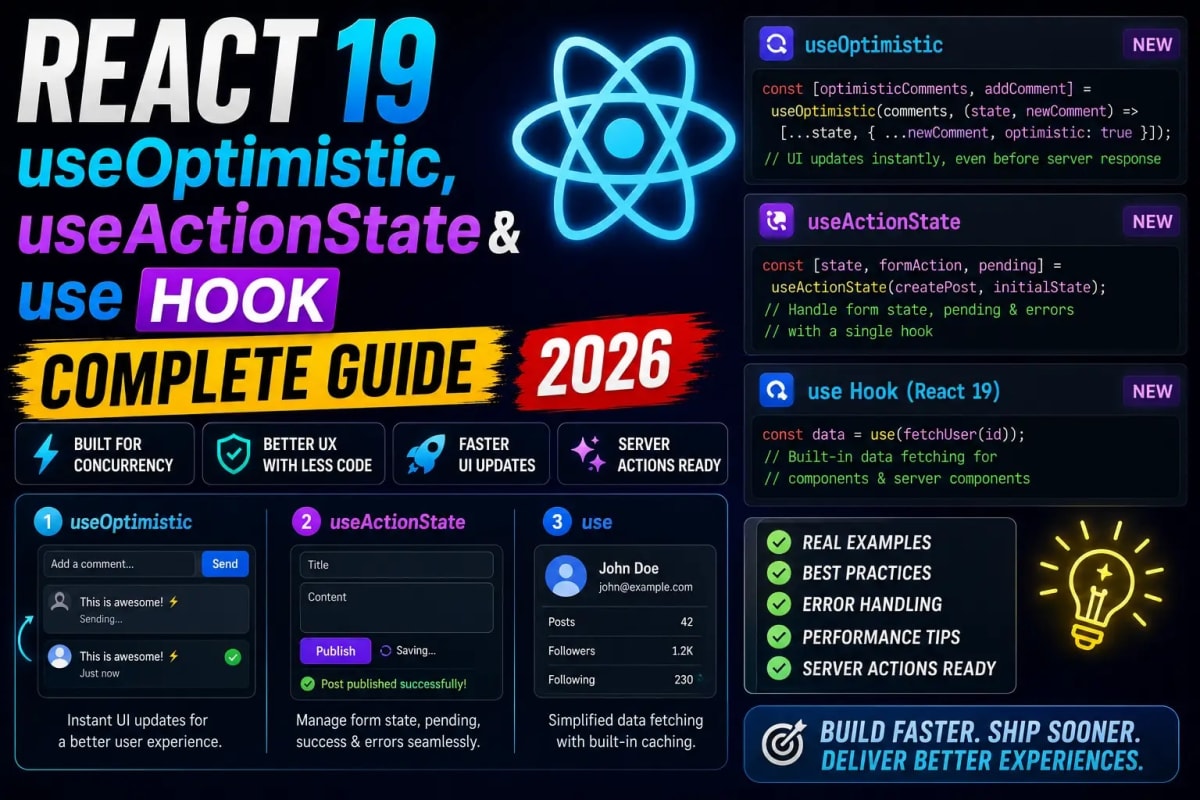
React 19 shipped the most impactful set of new hooks since the original hooks release in 2019. Three of them useOptimistic, useActionState, and the new use hook completely change how you handle async data, form submissions, and UI feedback in modern React apps. Most developers have heard of them. Very few are using them correctly. This guide walks through exactly what each hook does, where it fits, and the patterns that actually work in production Next.js apps in 2026.
Why These Three Hooks Matter Right Now
Before React 19, handling an optimistic UI update required a combination of local state, a loading boolean, an error state, a try-catch block, and a rollback mechanism. Developers wrote this boilerplate dozens of times per app and still got it wrong half the time. A failed mutation would leave stale optimistic data on screen. A race condition between two rapid submissions would corrupt the displayed state. The code was long, fragile, and impossible to test cleanly.
React 19 addresses this with purpose-built primitives. The team did not add these hooks because optimistic UI was impossible before it was always possible. They added them because the existing patterns were too painful to get right consistently, and the result was that most apps either skipped optimistic updates entirely or shipped broken versions. If you want a broader picture of everything that changed in this release, our complete guide to React 19 new features covers the full scope of changes beyond the hooks covered here.
The three hooks have distinct responsibilities but are designed to work together. Understanding where each one starts and stops is the key to using them without stepping on your own code.
useOptimistic: Show the Result Before It Happens
useOptimistic gives you a derived state value that temporarily reflects a pending mutation. You pass it your current state and an update function. When you call the setter, it immediately returns the optimistically updated value for rendering while the real async operation runs in the background. When the operation settles, React automatically reconciles the displayed value back to the real server state.
The signature looks like this: const [optimisticState, addOptimistic] = useOptimistic(state, updateFn). The updateFn receives the current state and the optimistic value you pass to addOptimistic, and returns the new state to display while the mutation is pending. This is pure it has no side effects and does not modify your actual state.
The practical example everyone needs: a like button. Without useOptimistic, you either wait for the server response before updating the count (feels slow) or you manually track a pending state and do the math yourself (fragile). With useOptimistic, the count increments instantly on click, and if the server call fails, React reverts to the real count automatically. No manual rollback code. No cleanup in the catch block.
One thing that catches people off guard: useOptimistic only works inside a transition or an async action. Calling addOptimistic outside of startTransition or a Server Action will not do anything useful. This is by design the optimistic update is tied to the lifecycle of the async work, so React knows exactly when to reconcile it.
useActionState: Form State Without the Boilerplate
useActionState is the hook that replaces the pattern of useState plus a manual form submission handler plus separate error and loading states. It wraps an action function and returns the current state of that action along with a dispatch function and a pending boolean all wired together.
The call looks like: const [state, formAction, isPending] = useActionState(action, initialState). The action receives the previous state and the form data, runs whatever async logic you need (including a Server Action call), and returns the new state. If the action throws, the state is not updated. The isPending boolean is true while the action is running, so you can disable the submit button or show a spinner without any extra state.
What makes this genuinely different from the old approach is the action receives the previous state. This sounds minor but it means your action function is pure it does not close over component state variables, which makes it trivial to extract, test independently, and reuse. The action is just a function that takes previous state and form data and returns new state. That is a pattern you can actually unit test.
The hook also supports progressive enhancement when used with HTML form elements. If you set the form's action attribute to the formAction returned by the hook, the form will work even before JavaScript hydrates which matters more than most developers realize. If you have ever debugged a hydration mismatch caused by interactive form state, this is the escape route. Our guide on fixing React hydration errors in Next.js covers the broader class of problems this pattern prevents.
The use Hook: Reading Promises and Context Inside Render
The use hook is the strangest of the three because it does not follow the rules of other hooks. You can call it conditionally. You can call it inside loops. It can read a Promise or a Context and it integrates directly with React's Suspense boundary to pause rendering until the value is ready.
For Promises: data = use(somePromise) inside a Suspense boundary, this suspends rendering of the component until the promise resolves, then renders with the resolved value. The component never sees the loading state directly. The Suspense fallback handles it. This moves async loading concerns out of the component entirely and into the component tree's boundary structure.
For Context: use(SomeContext) is equivalent to useContext(SomeContext) but can be called conditionally. This makes it usable inside early returns and conditionals that were previously impossible with useContext.
The real power comes when you combine use with Server Components. A Server Component can create a Promise for some async data and pass it as a prop to a Client Component. The Client Component calls use(dataPromise) inside a Suspense boundary. This means the server starts the data fetch before the client even loads the data is in-flight before the JavaScript bundle executes. For data-heavy pages, this is a meaningful performance win that requires zero additional infrastructure.
How These Hooks Change Your State Management Strategy
One of the questions that comes up immediately when developers start using these hooks is how they interact with external state management. If useActionState handles form state and useOptimistic handles mutation feedback, do you still need a global state library?
The answer depends on what your global state is actually doing. For server-synchronized state data that lives in a database and is fetched and mutated through your API these React 19 hooks often replace what developers were using a global store for. For genuinely client-side state that is shared across unrelated parts of the component tree and has no server counterpart theme preferences, sidebar open state, multi-step wizard progress a lean global store still makes sense. Our comparison of Zustand vs Redux Toolkit for React state management in 2026 covers exactly this split and which tool fits which category of state.
The healthy architecture in 2026 is: React 19 hooks for server-synchronized state and async operations, a lightweight global store for client-only shared state, and no global store at all for state that belongs to a single component or a small subtree. Many apps are over-using global state for things that should just be local or server-managed.
Combining All Three in a Real Feature
The hooks are designed to compose. Consider a comment submission feature: a user types a comment, hits submit, the comment should appear immediately in the list while the server processes the request, and any error should show an inline message without losing the user's typed input.
You would reach for useActionState to manage the submission it gives you the form action, the pending state, and a place to return errors from the server. You would reach for useOptimistic to immediately append the new comment to the list before the server responds. And if the existing comment thread is loaded from the server, you might use use to read the thread's Promise and suspend rendering of the entire comment section until the initial data is available.
This combination which would have taken 80 or 90 lines of careful state management before React 19 now takes roughly 20 lines of focused code. The boilerplate is not just reduced; the failure modes are reduced too. The rollback on error, the pending state, and the data boundary handling are all built into the hooks. You are writing the business logic, not the plumbing.
Common Mistakes to Avoid With These Hooks
The mistake developers make most often with useOptimistic is treating the optimistic state as the source of truth and writing code that depends on it after the action settles. Once the async operation completes, optimisticState reverts to the real state. Any derived calculations or downstream effects that depend on the optimistic value need to be aware of this lifecycle.
With useActionState, the common mistake is returning the entire previous state with a spread and only overriding the changed fields. This is fine for shallow state but breaks for nested objects where you need to deep-merge. Be explicit about exactly what each action returns partial state returns will not merge automatically; they replace.
With use, the most dangerous mistake is creating a new Promise on every render and passing it to use. This creates an infinite loop because each render triggers a new suspension which triggers a new render. Promises passed to use must be stable created outside the component, in a parent Server Component, or cached with useMemo. This is not a new constraint but it catches people off guard because the error message does not always point directly at the Promise creation.
All three hooks reward a workflow where you prototype fast, then review specifically for these edge cases before shipping. If you want the full tooling setup that catches React mistakes automatically before they reach production linting rules, TypeScript checks, and editor integrations our breakdown of the lazy developer workflow for Next.js that makes you 10x faster covers the automation layer that makes catching these patterns effortless.
What This Means for Your React Code in 2026
The direction React is heading is clear: the framework wants to own the async data lifecycle, not just the render cycle. These three hooks are the clearest expression of that direction to date. They handle the patterns that every real application needs optimistic feedback, form state management, async data loading without requiring third-party libraries or bespoke boilerplate for each feature.
This does not mean third-party libraries are obsolete. It means the layer of state management that was previously a library concern is moving into the framework. The libraries that survive this shift will be the ones that solve genuinely different problems complex global state, advanced caching strategies, cross-tab synchronization rather than reimplementing what React now handles natively.
For developers writing React today, the practical takeaway is straightforward: reach for these hooks first for any async mutation or form handling pattern. Bring in external state only when React's built-in primitives genuinely cannot express what you need. That default is the opposite of what many teams were doing two years ago, and it produces significantly less complex codebases.
Frequently Asked Questions
Can I use useOptimistic without Server Actions?
Yes. useOptimistic works with any async operation wrapped in startTransition. You can use it with a regular fetch call, a third-party API client, or any Promise-based mutation. Server Actions are the most convenient trigger because they integrate with the form action API, but they are not required.
Is useActionState a replacement for React Hook Form?
For simple to medium-complexity forms, useActionState is often sufficient and removes a dependency. For forms with complex field-level validation, multi-step logic, field arrays, or deeply nested schemas, React Hook Form still offers tooling that useActionState does not replicate. The decision is: does your form need per-field real-time validation and complex field management? If yes, keep a form library. If no, useActionState plus a schema validator at the action boundary is cleaner.
Does the use hook replace useEffect for data fetching?
In the cases where you were using useEffect to fetch data on mount and store it in state, yes use with a Suspense boundary is cleaner. The useEffect pattern for data fetching has always been a workaround; it creates the flash-of-empty-content problem and makes it hard to avoid race conditions. The use hook combined with Suspense is the intended replacement for that specific pattern.
Do React 19 hooks work in React Native?
React Native uses its own release cycle and React 19 support depends on the version of React Native you are targeting. As of 2026, React Native's New Architecture supports React 19 primitives, but some features tied specifically to the DOM or HTML form elements like the HTML form integration of useActionState are web-only. The JavaScript semantics of all three hooks work in React Native; the web-specific behaviors do not apply.
What happens to the optimistic state if the server action succeeds?
When the underlying action completes successfully, React reconciles the optimisticState back to the real state returned by the server. If your server returns the updated data and you update your actual state with it, the optimistic value is silently replaced by the real one. If the server returns an error, the optimistic state is also reverted. In both cases, React handles the transition you do not write any cleanup code for the happy path.
Tagged in
Continue Reading
All Articles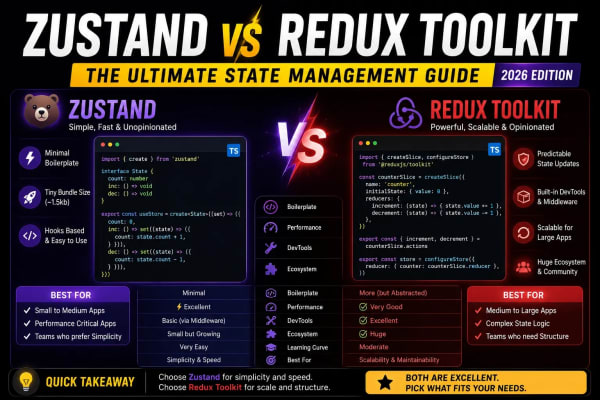

Level Up Your Workflow
Free tools mentioned in this article
AI Prompt Generator
Use our free AI prompt generator to improve AI prompts. The ultimate ChatGPT prompt optimizer and Midjourney prompt maker. Top free AI prompt builder tool.
QR Code Generator
Generate custom QR codes for URLs, WiFi, WhatsApp, vCard & more. Add a logo, pick a frame, download PNG/SVG/JPG. Free, no watermark, no signup.
PX to REM Converter
Convert px to rem and rem to px instantly - bidirectional, custom base font size, bulk converter, and CSS snippet output. Free, no signup.
LLM API Cost Calculator
Compare LLM API pricing across 18 models GPT-4o, Claude Sonnet 4, Gemini 2.5 Pro, DeepSeek, Mistral and more. Calculate monthly API costs, count tokens live, and convert to 7 currencies. Free, instant, no signup.