
The 'Lazy' Developer's Guide: Building Next.js Apps 10x Faster in 2026
Author
Muhammad Awais
Published
May 11, 2026
Reading Time
7 min read
Views
292

In the fast-paced world of web development in 2026, the term "lazy" is no longer an insult it is a highly sought-after professional virtue. The best software engineers aren't the ones writing 10,000 lines of boilerplate code by hand; they are the ones who automate repetitive tasks to focus entirely on core business logic and system architecture. If you are still manually converting SVGs, writing TypeScript interfaces line-by-line, or struggling with legacy CSS, you are wasting your most valuable asset: time. Let's dive into the ultimate "Lazy Developer" workflow that will help you ship Next.js and React applications 10x faster.
The Myth of "Hard Work" in Programming
There is a toxic hustle culture in the tech industry that glorifies spending 12 hours a day glued to an IDE typing out boilerplate. However, working long hours on tedious, repetitive tasks is a direct path to developer burnout. In the modern Next.js and MERN stack ecosystem, your true value comes from your ability to architect scalable solutions, design intuitive user experiences, and solve complex state management problems. Your value does not come from manually translating an old CSS stylesheet into Tailwind classes.
The concept of the "10x Developer" isn't about someone who types ten times faster. It is about a developer who utilizes an arsenal of micro-tools and automations to bypass the mundane. By building a tool-first workflow, you eliminate human error, maintain absolute consistency across your codebase, and ship features long before your deadline approaches.
Step 1: Automating the UI/UX Handoff
One of the biggest bottlenecks in frontend development is translating design assets from Figma into functional React code. For example, dealing with vector graphics (SVGs). Copying and pasting raw SVG code directly into your Next.js application is a massive anti-pattern. It pollutes your JSX, causes DOM hydration issues, and makes dynamic styling (like changing a stroke color on hover) extremely difficult.
A smart developer doesn't manually replace stroke-width with strokeWidth or class with className. They use a dedicated utility. By dropping your raw vector graphics into an SVG to JSX / TSX Converter, you instantly receive a perfectly formatted, strongly-typed React component. This single automation can save you hours of tedious find-and-replace formatting every single week.
Step 2: Bulletproof APIs with Zero Effort
If you are building a modern Full-Stack application or interacting with third-party REST APIs, you are dealing with massive JSON payloads. TypeScript is the industry standard for a reason: it prevents runtime errors and provides incredible autocomplete. However, manually inspecting a 500-line JSON response from an API and writing the corresponding nested TypeScript interfaces by hand is a miserable experience.
The Smart Approach to Type Safety
Stop guessing the types of your nested objects. Whenever you hit a new API endpoint, copy the raw JSON response and paste it into a JSON to TypeScript Converter. In less than a second, you will have production-ready, highly accurate interfaces. This guarantees that your frontend perfectly matches your backend schema without writing a single line of interface code manually.
Step 3: Modernizing Legacy Stylesheets
Tailwind CSS has undeniably won the styling wars in the React ecosystem. But what happens when you inherit a legacy React project, or a massive WordPress site, that uses thousands of lines of traditional CSS or SCSS? The manual migration process involves reading a class, searching the Tailwind documentation for the exact utility, and rewriting the HTML. It is excruciating.
The "lazy" (and brilliant) developer avoids this entirely. By utilizing a CSS to Tailwind Converter, you can paste entire blocks of legacy CSS and instantly receive the equivalent Tailwind utility classes. This takes a migration project that would normally take three weeks and reduces it to a single afternoon.
Step 4: Media Optimization on Autopilot
Google's Core Web Vitals are ruthless in 2026. If your Next.js application is serving heavy, unoptimized PNG or JPG images, your LCP (Largest Contentful Paint) score will tank, and your SEO will suffer. Many developers think that Next.js's built-in <Image /> component solves everything, but sending a 5MB PNG to the server for runtime optimization is incredibly inefficient and increases your Vercel hosting costs.
The optimal workflow is to compress your assets before they even touch your repository. By running your static assets through a client-side Image to WebP Converter, you shrink your repository size, drastically reduce server-side optimization costs, and guarantee a lightning-fast initial load time for your users. And because it's client-side, your proprietary design assets never leave your local machine.
Step 5: The AI IDE Revolution
You cannot talk about developer speed in 2026 without mentioning AI-powered IDEs. Traditional editors are becoming a thing of the past. By leveraging next-generation environments like Antigravity, Cursor, or GitHub Copilot Workspaces, the "lazy" developer delegates the actual typing to the machine.
Instead of writing out standard CRUD operations or Redux slices, you simply prompt your IDE with the architecture you want. The AI writes the boilerplate, and you step in to review, refine, and secure the logic. Combined with our suite of micro-tools for data formatting (like JSON to TS), your output will literally double. You become the director of the code, rather than just the typist.
Step 6: Master the Art of Debugging
Even with the perfect automated workflow, things break. Next.js App Router and React Server Components (RSC) have introduced new layers of complexity. One of the most notorious issues that plagues developers is the hydration mismatch where the server-rendered HTML does not perfectly align with the client-rendered React tree.
A junior developer will spend days deleting components one by one to find the culprit. A senior developer relies on deep technical knowledge to spot the architectural flaw instantly. If you want to permanently eliminate this headache, bookmark our definitive guide on How to Fix React Hydration Errors in Next.js. Understanding the root cause of an error is the ultimate form of workflow automation.
Frequently Asked Questions (FAQs)
Will automating my workflow make me a worse developer?
Absolutely not. Memorizing syntax or manually typing out JSON interfaces does not make you a good engineer. Problem-solving does. By automating mundane tasks, you free up your cognitive load to focus on system design, security, and performance optimizations.
Are these online developer tools safe for proprietary company data?
It depends on the tool. Many traditional websites upload your code or images to their servers, which is a massive security risk. However, the utilities built at WebToolsHub (like our WebP Optimizer and JSON converter) operate 100% on the client-side. Your data is processed entirely within your browser's local memory and never touches our backend.
Do these workflows only apply to Next.js?
While this guide focuses on Next.js, the principles are universal. Whether you are using Vite, Remix, or a standard MERN stack, utilities like converting SVGs to JSX, optimizing images, and generating TypeScript interfaces will drastically improve your development speed.
Conclusion: Your Personal Toolbelt
Being a great developer in 2026 isn't about working harder; it is about working smarter. By building a personal "toolbelt" of web utilities—from formatting SVGs and JSON to modernizing CSS and compressing images—you free up your time to focus on what actually matters: building incredible software that users love. Stop doing the heavy lifting manually. Leverage the power of WebToolsHub, embrace your inner "lazy" developer, and start shipping features at warp speed.
Tagged in
Continue Reading
All Articles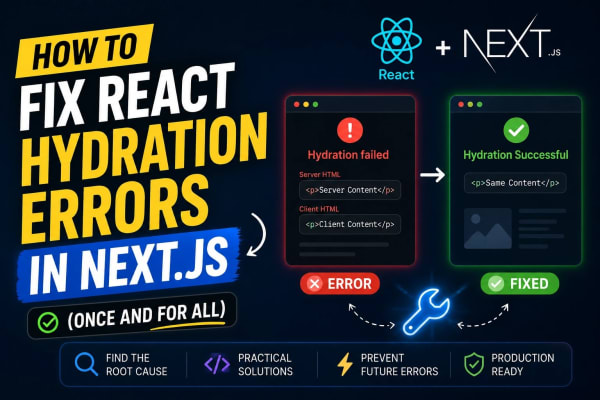


Level Up Your Workflow
Free tools mentioned in this article
Robots.txt & LLMs.txt Generator
Generate robots.txt and llms.txt files instantly with AI bot presets for GPTBot, ClaudeBot, and PerplexityBot. Control who crawls your site in 2026.
Markdown to HTML Converter
Convert Markdown to clean HTML instantly with live preview. Supports GitHub Flavored Markdown, tables, code blocks, and task lists. Free and browser-based.
Regex Tester & Debugger
Test, debug, and validate JavaScript regular expressions instantly. Live match highlighting, capture groups, all flags supported - free, client-side, zero logs.
Bcrypt Generator & Verifier
Generate and verify Bcrypt password hashes instantly in your browser. A secure, client-side Bcrypt hash calculator for developers with zero backend logs.