
React 19: Every New Feature Explained with Real Examples (2026)
Author
Muhammad Awais
Published
May 20, 2026
Reading Time
11 min read
Views
22.4k
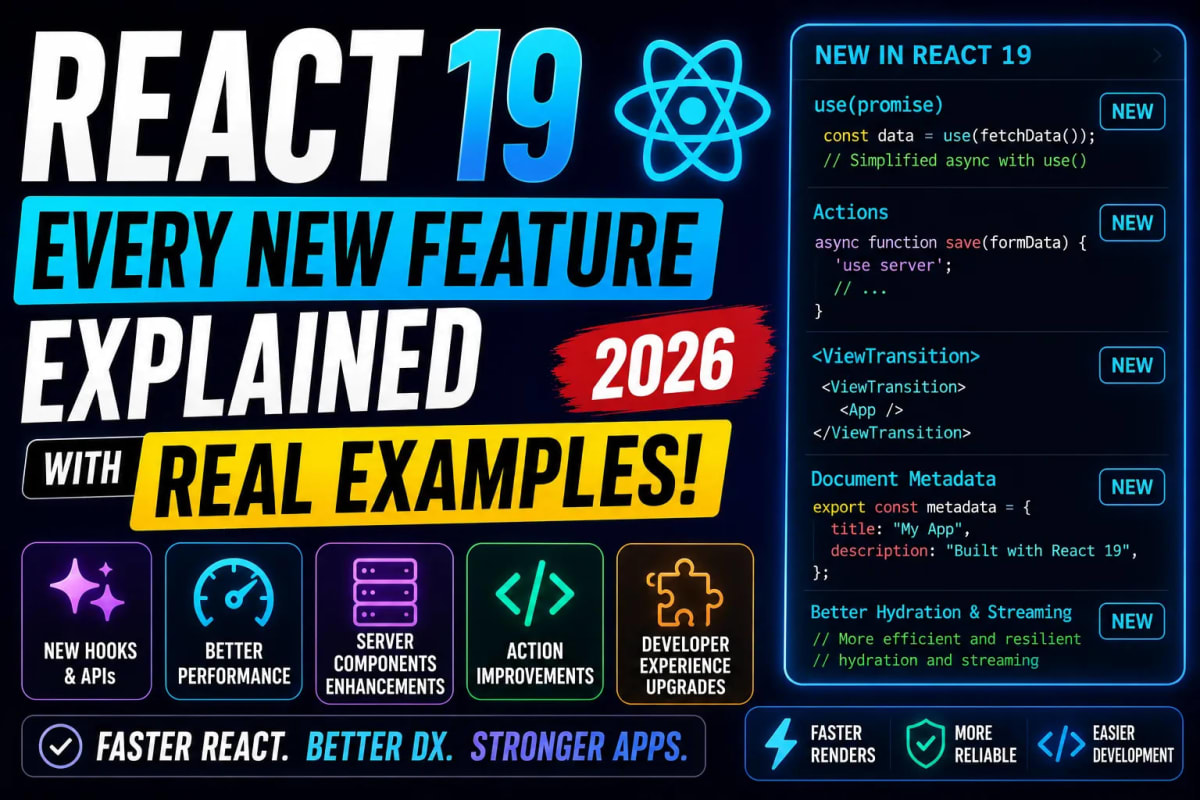
React 19 dropped in December 2024 and it is not a subtle update. The React Compiler a tool the team spent three years building ships stable and eliminates one of the most common sources of performance bugs in the ecosystem. Server Actions graduate from experimental to stable. Four new hooks land that change how you handle forms, async state, and data fetching. And several long-standing API frustrations, like the forwardRef boilerplate and three-line Context provider syntax, are finally gone. If you are building React applications in 2026 and have not fully dug into what v19 actually changes day to day, this guide covers every meaningful update with real examples.
The React Compiler: Why It Changes Everything
The single most impactful change in React 19 is not a new hook or a new API. It is the React Compiler, previously known as React Forget during its years of development. The compiler is a build-time tool that automatically analyzes your components and adds memoization exactly where it is needed without you writing a single useMemo, useCallback, or React.memo call.
Here is the practical implication. In React 18 and earlier, writing performant components required careful manual memoization. You had to identify which values were expensive to recompute, which callbacks were causing unnecessary re-renders downstream, and which components were re-rendering too often because their parent changed. This was tedious, error-prone, and frequently wrong developers either over-memoized (wrapping everything in useMemo unnecessarily) or under-memoized (missing the expensive recalculations that were actually causing lag).
With the React Compiler, your code stays clean and simple. You write components the way you naturally would, and the compiler figures out the optimal memoization strategy at build time using static analysis. Instagram, which runs one of the largest React codebases in the world, has been running the compiler in production since 2023 as a beta test. Their teams reported meaningful performance improvements without changing any component logic.
To opt in, install the compiler package and add it to your bundler config. For Next.js:
npm install babel-plugin-react-compiler

// next.config.js
const nextConfig = {
  experimental: {
    reactCompiler: true,
  },
};
export default nextConfig;
One important note: the compiler requires your code to follow the Rules of React correctly. It will skip optimizing components that violate those rules rather than producing incorrect output, so it is safe to enable incrementally. Components that the compiler cannot optimize continue to work exactly as before.
Server Actions Are Now Stable
Server Actions graduated from experimental to fully stable in React 19. If you have been avoiding them because of the experimental tag, that reason is gone. Server Actions let you define async functions that run exclusively on the server and call them directly from your client components, with full TypeScript support and no manual API endpoint setup required.
Here is a practical example. A form that submits a blog post no longer needs an API route, fetch call, or state management for the submission. You write the server-side logic in a function marked with 'use server' and call it directly:
// actions.ts
'use server';

export async function createPost(formData: FormData) {
  const title = formData.get('title') as string;
  const content = formData.get('content') as string;
  await db.posts.create({ title, content });
  revalidatePath('/blog');
}

// PostForm.tsx (Client Component)
import { createPost } from './actions';

export function PostForm() {
  return (
    <form action={createPost}>
      <input name="title" placeholder="Title" />
      <textarea name="content" />
      <button type="submit">Publish</button>
    </form>
  );
}
No separate API route file. No fetch. No JSON parsing. The form's action prop accepts the server function directly and React handles the serialization and transport layer. For teams building data-heavy Next.js applications, this reduces the amount of boilerplate code significantly and pairs naturally with the developer tooling ecosystem covered in our guide on top React and Next.js developer tools for 2026.
The New use() Hook
React 19 introduces a new primitive called use() and it works differently from every other hook. You can call it conditionally, inside loops, and inside early returns, which breaks the standard Rules of Hooks in a way that is intentional and supported by the React team for this specific hook.
The use() hook accepts either a Promise or a Context as its argument. When you pass it a Promise, React suspends the component until the Promise resolves without needing to write any async/await or loading state logic yourself:
import { use, Suspense } from 'react';

function PostContent({ postPromise }: { postPromise: Promise<Post> }) {
  // Suspends until the promise resolves — no useEffect, no useState
  const post = use(postPromise);
  return <article>{post.content}</article>;
}

// Parent wraps it with Suspense
<Suspense fallback={<Skeleton />}>
  <PostContent postPromise={fetchPost(id)} />
</Suspense>
When passed a Context, use(Context) replaces useContext(Context) but with the added flexibility of conditional usage. This is especially useful in components where you only need context in certain branches of logic.
useOptimistic: Instant UI Without Race Conditions
useOptimistic is one of those hooks that solves a specific problem so cleanly that you immediately think of five places in your existing codebase where you needed it. It lets you show an optimistic UI update immediately while a server action is processing, then automatically rolls back if the action fails.
import { useOptimistic } from 'react';

function LikeButton({ post }) {
  const [optimisticLikes, addOptimisticLike] = useOptimistic(
    post.likes,
    (currentLikes) => currentLikes + 1
  );

  async function handleLike() {
    addOptimisticLike(); // UI updates instantly
    await likePost(post.id); // Server action runs in background
  }

  return (
    <button onClick={handleLike}>
      {optimisticLikes} Likes
    </button>
  );
}
The like count increments the instant the user clicks. If the server action succeeds, the optimistic state is replaced with the real server state. If it fails, React automatically reverts the UI to the original value. No manual rollback logic, no race condition handling, no loading spinner needed for a fast interaction like this.
useFormStatus and useActionState: Goodbye Manual Loading States
useFormStatus gives any child component inside a form access to that form's pending state without prop drilling. You no longer need to thread a loading prop down to your submit button through multiple component layers.
import { useFormStatus } from 'react-dom';

function SubmitButton() {
  const { pending } = useFormStatus();
  return (
    <button disabled={pending}>
      {pending ? 'Saving...' : 'Save Post'}
    </button>
  );
}

// Works automatically when used inside any form with a Server Action
useActionState goes a step further and gives you access to the action's return value and pending state together, making it clean to handle validation errors returned from a Server Action directly in your form UI without building a separate error state.
⚡ Write Better AI Prompts for React Components — Free Tool
API Cleanups That Make Daily Life Better
React 19 ships several smaller API improvements that individually seem minor but together make the day-to-day experience of writing React noticeably cleaner.
ref as a regular prop: You no longer need
forwardRefto pass refs to function components. In React 19,refis just a regular prop. The oldforwardRefwrapper still works for backward compatibility but is no longer necessary for new code.Context as Provider directly: Instead of writing
<ThemeContext.Provider value={theme}>, you can now write<ThemeContext value={theme}>directly. The.Providersuffix is redundant and its removal was a long-standing community request.Document metadata in components: React 19 supports rendering
<title>,<meta>, and<link>tags directly inside any component and automatically hoists them to the document head. This gives you native metadata management without relying on third-party libraries for basic use cases.Better hydration error messages: React 19 significantly improved the error messages shown when server and client renders don't match during hydration. The old messages were cryptic. The new ones show a diff of exactly what the server rendered versus what the client expected, making debugging these issues dramatically faster.
Resource preloading APIs: New functions like
preload(),prefetchDNS(), andpreinit()let you hint to the browser about resources you know will be needed, improving performance without adding link tags manually.
What Got Removed: Breaking Changes to Know
React 19 removed several APIs that had been deprecated since React 16 and 17. If you are migrating from an older codebase, these are the removals that will cause actual errors:
ReactDOM.render()is removed usecreateRoot()insteadReactDOM.hydrate()is removed usehydrateRoot()insteadThe
defaultPropspattern for function components no longer works use ES6 default parameter syntax insteadLegacy string refs (
ref="myRef") are fully removed useuseRef()The
propTypesruntime check package was removed from the React core bundle
Most projects that are already on React 18 with a modern setup will not hit most of these. The React team provides a codemod for the most common mechanical migrations. Run npx react-codemod@latest in your project root and it handles the straightforward replacements automatically.
How to Upgrade from React 18 to React 19
The upgrade path from React 18 to 19 is straightforward for most modern projects. Install the new versions, run the codemod, address any breaking changes surfaced by TypeScript, and test your forms and Server Actions if you were using them in experimental mode.
npm install react@19 react-dom@19
npm install --save-dev @types/react@19 @types/react-dom@19
If you are on Next.js, version 15 ships with React 19 support built in and the upgrade is handled alongside the Next.js upgrade. If you are on an older React codebase that has a lot of legacy patterns, read our guide on modernizing your tech stack step by step before jumping straight to v19, as a phased approach reduces risk for larger codebases.
React 19 and the AI-Assisted Development Workflow
One thing worth noting from a practical 2026 development perspective: the new React 19 patterns especially Server Actions and the new hooks are significantly easier to work with when using AI coding tools. The patterns are cleaner, more declarative, and easier to describe in a prompt, which means the output quality from AI IDEs like Cursor or Antigravity is noticeably higher when generating React 19 code compared to the older patterns.
If you want to combine React 19's cleaner APIs with an AI-driven development workflow to actually ship faster, the complete vibe coding guide we put together covers exactly how to structure your prompts for React component generation in a way that produces reliable, production-quality output on the first or second attempt.
Frequently Asked Questions
What is the biggest new feature in React 19?
The React Compiler is the most impactful addition. It automatically adds memoization to your components at build time, eliminating the need to manually write useMemo, useCallback, and React.memo. This means better performance by default without any extra code. Beyond the compiler, Server Actions graduating to stable and the new use() hook represent the biggest API-level additions to the framework.
Do I still need useMemo and useCallback in React 19?
With the React Compiler enabled, you no longer need to manually write useMemo or useCallback in most cases. The compiler handles this optimization automatically. However, if you are not using the compiler (it is opt-in, not automatic), or in specific cases the compiler cannot analyze, these hooks are still available and still work exactly as before. The compiler does not remove support for them — it just makes them unnecessary for the majority of use cases.
What is the difference between useFormStatus and useActionState?
useFormStatus is for child components inside a form it gives them access to the form's pending state without prop drilling. It is specifically designed for things like a submit button that needs to show a loading state. useActionState is broader it wraps a Server Action and gives you the action's return value (such as validation errors), a pending state, and a dispatching function, all in one hook. You use useActionState when you need to handle the action's response in your component, and useFormStatus when a child component just needs to know if the parent form is submitting.
Is React 19 compatible with Next.js 14?
React 19 is officially supported in Next.js 15. Next.js 14 was built against React 18, and while React 19 may work in some configurations with Next.js 14, it is not officially supported and you may encounter issues with certain features. The recommended upgrade path is to move to Next.js 15 alongside React 19. Both upgrades together are straightforward for most projects.
Can I use the use() hook instead of useEffect for data fetching?
In Server Components, yes use() with a Promise is the recommended way to handle async data fetching. In Client Components, use() can unwrap a Promise that was passed as a prop from a Server Component, but it is not a replacement for all useEffect data fetching patterns in client components. For client-side data fetching that happens in response to user interaction or after mount, libraries like TanStack Query remain the right choice and are not replaced by use().
Tagged in
Continue Reading
All Articles


Level Up Your Workflow
Free tools mentioned in this article
JWT Decoder & Verifier
Decode, parse, and verify JWT (JSON Web Tokens) securely in your browser. Validate claims and debug authentication payloads instantly with zero server logs.
JWT Secret Key Generator
Generate cryptographically secure, high-entropy JWT secret keys instantly. A free, client-side CSPRNG key generator for secure HS256 and HS512 tokens.
Tailwind Class Sorter
Sort Tailwind CSS classes instantly using Prettier's official order. Paste plain classes, HTML, or JSX get clean, sorted output in one click. Free, no signup.
Regex Tester & Debugger
Test, debug, and validate JavaScript regular expressions instantly. Live match highlighting, capture groups, all flags supported - free, client-side, zero logs.