
The Complete .cursorrules Guide: Make Cursor AI Actually Know Your Next.js Project
Author
Muhammad Awais
Published
May 21, 2026
Reading Time
12 min read
Views
16.6k
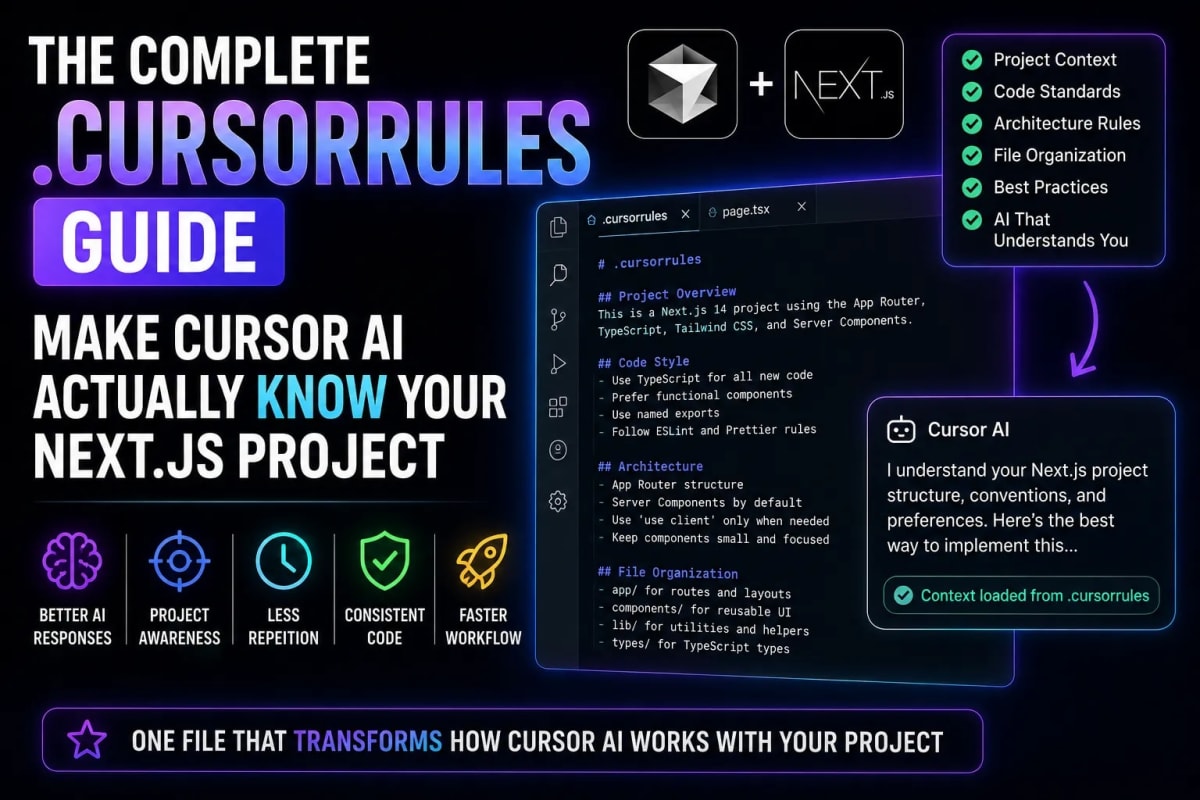
Most developers using Cursor are getting maybe 40% of what the tool can actually do. They installed it, they prompt it, and they accept or reject suggestions. What they have never set up is the file that transforms Cursor from a smart autocomplete into an AI pair programmer that actually understands their project their stack, their conventions, their patterns, their rules. That file is .cursorrules. This guide covers everything: what it is, how it works, and the exact rules that make Cursor dramatically more useful for Next.js development in 2026.
What Is the .cursorrules File?
The .cursorrules file is a plain text configuration file that lives at the root of your project. Every time Cursor generates code, it reads this file first and uses it as persistent context for every prompt in that project. Think of it as a standing instruction set that you write once and that silently prepends to every AI interaction in your codebase.
Without a .cursorrules file, Cursor treats every prompt as if it knows nothing about your project. It produces generic code that technically compiles but does not match your naming conventions, does not follow your folder structure, uses different patterns than the rest of your codebase, and needs significant editing before it is actually usable. Developers who complain that Cursor output requires too much cleanup almost always do not have a .cursorrules file.
With a well-written .cursorrules file, Cursor knows your stack, knows your patterns, knows what libraries you use and which ones you avoid, knows your naming conventions and component structure, and produces code that fits your codebase the way a senior team member who has read all your files would. The difference in output quality is not subtle. It is dramatic and immediate.
How Cursor Reads and Uses the Rules File
When you open a project in Cursor, it automatically detects the .cursorrules file in the root directory and loads its contents as system-level context. This context is injected into every chat and inline edit prompt as if you had typed it yourself at the beginning of every conversation. You do not need to reference it explicitly it is always there, silently shaping every response.
The file supports plain text, markdown formatting, and code blocks. Cursor does not require any special syntax it reads it as natural language instructions and code examples. The more specific and concrete your rules are, the more precisely Cursor follows them. Vague rules produce vague improvements. Specific rules naming patterns, exact import syntax, specific library preferences produce specific, consistent output.
In 2026, Cursor also supports .cursor/rules as a directory-level rules structure for monorepos, where different packages or apps can have their own rules files. For a standard single Next.js project, the root .cursorrules file is all you need.
The Anatomy of an Effective .cursorrules File
A well-structured rules file covers six areas: project overview, tech stack, folder structure and file conventions, coding style and patterns, what to avoid, and specific examples of preferred code. Each section serves a different purpose. Together, they give Cursor the context it needs to act like it has been on your team for months.
Here is a complete, production-ready .cursorrules file for a Next.js 14 project with TypeScript, Tailwind CSS, MongoDB, and Clerk authentication. This is not a minimal example it is the kind of file that makes a real, measurable difference to output quality.
# PROJECT OVERVIEW
This is a Next.js 14 App Router project. It is a SaaS web application with
user authentication, a MongoDB database, and a subscription billing system.
All code is written in TypeScript. The UI is built with Tailwind CSS and
shadcn/ui components. Authentication is handled by Clerk.

# TECH STACK
- Framework: Next.js 14 (App Router — not Pages Router)
- Language: TypeScript (strict mode enabled)
- Styling: Tailwind CSS + shadcn/ui
- Database: MongoDB with Mongoose
- Auth: Clerk
- Payments: Stripe
- Deployment: Vercel
- Package manager: pnpm

# FOLDER STRUCTURE
src/
  app/           → Next.js App Router pages and layouts
  components/    → Shared UI components (PascalCase filenames)
    ui/          → shadcn/ui primitives only
  lib/           → Utility functions and shared logic
  models/        → Mongoose schema and model definitions
  hooks/         → Custom React hooks (useXxx naming)
  types/         → Global TypeScript type definitions
  actions/       → Next.js Server Actions

# CODING CONVENTIONS
- Use named exports for all components (no default exports except page.tsx and layout.tsx)
- Component files: PascalCase (UserCard.tsx, not userCard.tsx or user-card.tsx)
- Utility files: camelCase (formatDate.ts, not FormatDate.ts)
- Use TypeScript interfaces for object shapes, not type aliases (prefer interface User over type User)
- Always type function return values explicitly on Server Actions and API route handlers
- Use async/await — never .then().catch() chains
- Prefer server components by default; add "use client" only when strictly necessary
- All Mongoose models must have a corresponding TypeScript interface in src/types/

# STYLING RULES
- Use Tailwind utility classes only — no custom CSS files except globals.css
- Dark mode is handled via the 'dark:' Tailwind prefix (class-based dark mode)
- Use the shadcn/ui component library for all form elements, dialogs, and dropdowns
- Zinc is the primary color palette (zinc-900 for dark backgrounds, zinc-50 for light)
- Never use inline styles

# IMPORT ORDER (always follow this order)
1. React and Next.js imports
2. Third-party library imports
3. Internal absolute imports (src/...)
4. Relative imports (./ or ../)
5. Type imports last (import type { ... })

# WHAT TO AVOID
- Never use 'any' type — use 'unknown' and narrow the type explicitly
- Never use default exports except for page.tsx and layout.tsx files
- Never use the Pages Router (src/pages/) — this project uses App Router only
- Never import mongoose directly in components — use lib/dbConnect.ts
- Never store secrets in client components or pass them as props
- Never use useEffect for data fetching — use server components or React Query

# SERVER ACTIONS PATTERN
All Server Actions live in src/actions/ and follow this pattern:
- Validate input with Zod before any database operation
- Return { success: true, data: ... } or { success: false, error: "message" }
- Never throw errors from Server Actions — always return structured error objects
- Always use revalidatePath or revalidateTag after mutations

# MONGOOSE MODEL PATTERN
Always define models like this:
import mongoose, { Schema, Document } from "mongoose";
export interface IUser extends Document { ... }
const UserSchema = new Schema<IUser>({ ... }, { timestamps: true });
export default mongoose.models.User || mongoose.model<IUser>("User", UserSchema);

# RESPONSE STYLE
- Prefer complete, working code over partial snippets
- Always include TypeScript types — never leave them implicit
- When creating a new file, include the full file content
- Add a brief comment above complex logic explaining the why, not the what
- If something has a security implication, add a comment flagging it
Section-by-Section Breakdown: What Each Part Does
The Project Overview section is the single highest-leverage addition most developers are missing. When Cursor knows your application is a SaaS with Clerk auth and Stripe billing, it generates code that handles auth context correctly, does not try to build its own auth system, and understands that the billing context matters when generating user-facing features. Without this, Cursor treats your project as a generic web app.
The Folder Structure section stops Cursor from creating files in the wrong place. Without it, Cursor might put a utility function inside a component file, create a new API route in the wrong directory, or generate a model without following your naming conventions. With it, every new file lands in the right place with the right name format.
The What to Avoid section is the most directly impactful section for code quality. Explicitly telling Cursor never to use any, never to use the Pages Router, and never to fetch in useEffect eliminates entire categories of bad output that would otherwise require editing on every generation.
The Pattern sections Server Actions and Mongoose models in the example above are where domain-specific consistency comes from. When Cursor knows your exact Server Action return shape, it generates actions that integrate into your existing error handling instead of inventing a new pattern. This is what makes AI-generated code actually merge-ready instead of requiring structural rework. The broader workflow gains this enables tie directly into what we covered in our guide on building a 10x faster Next.js developer workflow.
Common Rules That Make an Immediate Difference
Beyond the project-specific rules, there are universal rules that improve Cursor output quality regardless of your tech stack. Add these to any .cursorrules file and you will notice the difference within minutes.
Prefer complete files over partial snippets. By default, Cursor sometimes generates partial components with placeholders like "// rest of the code here." Explicitly telling it you want the full file every time eliminates this almost entirely. The rule to add: "Always return the complete file content, never use placeholder comments like '// rest of component' or '// add implementation here'."
Specify your error handling philosophy. Do you use try-catch everywhere? Do you use a Result type pattern? Do Server Actions return structured objects or throw? Telling Cursor your error handling convention means generated code plugs into your existing pattern instead of inventing its own.
State your test philosophy. If you write tests, tell Cursor your testing library (Vitest, Jest, Playwright), your test file location convention, and whether you prefer unit tests, integration tests, or both. Cursor will then generate tests that match your setup when you ask for them, instead of assuming and generating incompatible code.
Keeping Your Rules File Updated
A .cursorrules file is not a one-time setup. It is a living document that should update as your project evolves. When you add a new library to your stack, add it to the rules file. When you establish a new pattern that all future code should follow, document it. When you deprecate an approach that Cursor keeps suggesting, add it to the avoid section.
The best teams treat their .cursorrules file the same way they treat their ESLint config or their contributing guidelines it is a team document that lives in version control, gets reviewed in pull requests when it changes, and reflects the actual current state of how the codebase is meant to be written. A stale rules file is worse than no rules file, because it actively steers Cursor toward patterns the team has already moved away from.
Commit your .cursorrules file to your repository. Every developer on the team gets the same Cursor behavior without any individual setup required. New team members onboarding into the project get an AI assistant that already knows the codebase conventions on day one. This is one of those setup costs that pays compound interest indefinitely. If you are still evaluating where Cursor fits in your overall tool stack, our comprehensive overview of the top React and Next.js developer tools for 2026 covers how it compares to the other major AI IDE options and where each one is strongest.
How .cursorrules Fits Into the Bigger Vibe Coding Picture
The .cursorrules file is the infrastructure layer of vibe coding. The prompts you write in the moment are the visible layer they describe what you want to build right now. The rules file is the invisible layer that makes every prompt smarter without any extra effort on your part.
Developers who get the most out of AI-assisted development in 2026 are not necessarily the ones writing the best individual prompts. They are the ones who have invested in the surrounding context infrastructure the rules files, the clear conventions, the documented patterns that makes every prompt more effective by default. The prompt is the question. The rules file is everything Cursor knows before you ask it.
If you are newer to AI-assisted development and want to understand the broader context of how vibe coding and tools like Cursor are changing how developers work, our complete guide to vibe coding in 2026 covers the full landscape from beginner workflows to advanced agentic setups and puts Cursor in context alongside the other major tools reshaping development this year.
Frequently Asked Questions
Where does the .cursorrules file go in my project?
The .cursorrules file goes in the root directory of your project the same level as your package.json, tsconfig.json, and next.config.js. Cursor automatically detects and loads it when you open the project. For monorepos, Cursor also supports a .cursor/rules directory structure that lets different packages have separate rule sets.
How long should a .cursorrules file be?
Long enough to cover your key conventions, short enough that Cursor can reliably parse and apply it. Most effective rules files are between 100 and 400 lines. Below 50 lines, the rules are usually too vague to produce consistent improvements. Above 500 lines, context window limits can cause earlier rules to be prioritized. Aim for specific and focused rather than comprehensive and exhaustive.
Should I commit .cursorrules to Git?
Yes, always. Committing your .cursorrules file means every team member gets the same consistent Cursor behavior without any individual setup. It also means the rules evolve alongside the codebase and are visible in pull requests when they change. Treat it like your ESLint config it is a team document, not a personal preference file.
Does .cursorrules work with all AI models in Cursor?
Yes. The rules file is injected as system context regardless of which underlying model Cursor is using Claude, GPT-4o, Gemini, or any other model available in the Cursor model switcher. The quality of rule-following varies slightly by model, but all models benefit significantly from having explicit project context compared to prompting without any rules file in place.
What is the difference between .cursorrules and Cursor's system prompt setting?
The system prompt setting in Cursor's preferences is a global instruction that applies across all projects. The .cursorrules file is project-specific and takes precedence for that project. Use the global system prompt for universal preferences that apply everywhere like your preferred response verbosity or general coding philosophy. Use .cursorrules for everything specific to a particular codebase.
Tagged in
Continue Reading
All Articles


Level Up Your Workflow
Free tools mentioned in this article
Shadcn Theme Generator
Visually generate and preview Shadcn UI themes. Customize HEX to HSL colors, enforce flat design, and instantly copy globals.css and tailwind.config.ts code.
SVG to JSX / TSX Converter
Transform raw SVG code into production-ready React (JSX/TSX) components. Features camelCase mapping, Tailwind support, and TypeScript prop generation.
Tailwind Bento Grid Builder
Build responsive Tailwind CSS Bento Grid layouts visually drag, resize, and export clean React JSX or HTML code instantly. No coding needed.
Markdown to HTML Converter
Convert Markdown to clean HTML instantly with live preview. Supports GitHub Flavored Markdown, tables, code blocks, and task lists. Free and browser-based.