
How to Decode a JWT Token Online: Complete Guide for Developers (2026)
Author
Muhammad Awais
Published
June 13, 2026
Reading Time
14 min read
Views
14k
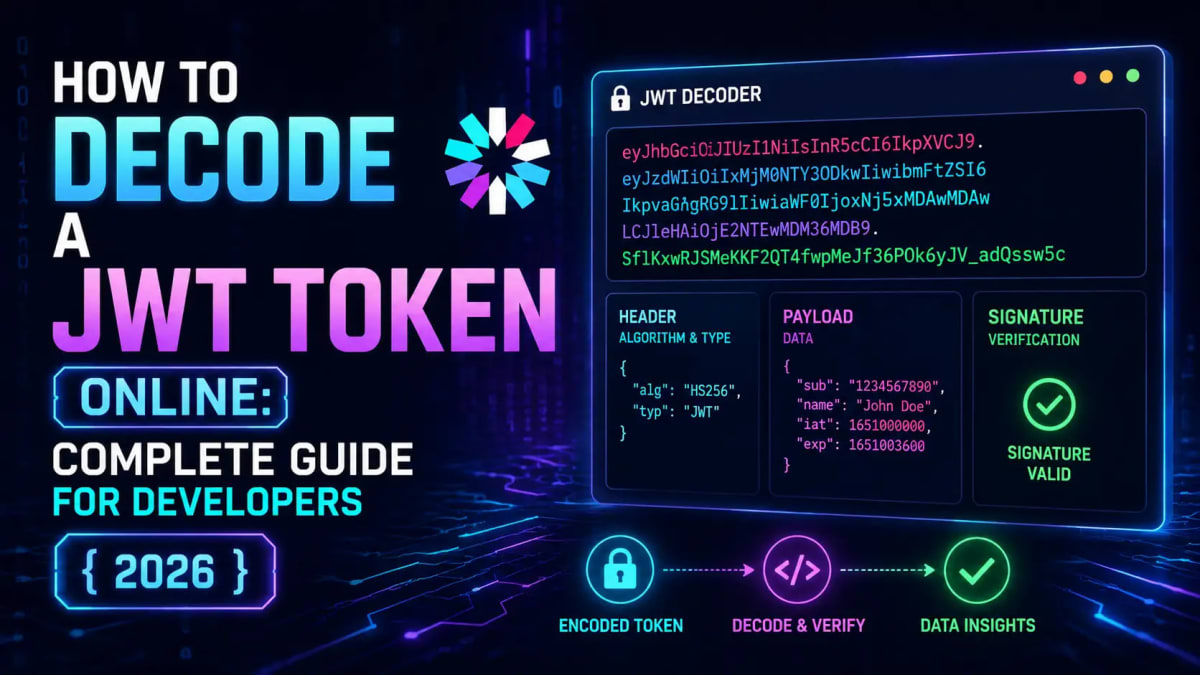
You're getting a 401 Unauthorized error. Your API is rejecting the token. You have no idea what's inside that JWT or why it's failing. Sound familiar?
I've been there staring at a 150-character string of dots and Base64 wondering what the server is actually reading. The good news: decoding a JWT token takes about 10 seconds once you know how, and you don't need to install anything. Let me walk you through everything.
What Is a JWT Token and Why Should You Care?
A JWT (JSON Web Token) is a compact, URL-safe token defined in RFC 7519 that carries claims statements about a user or system between two parties. When you log in to a modern web app or hit an API endpoint, there's a very good chance a JWT is being passed back and forth in the Authorization header.
They're everywhere in 2026: Next.js APIs, Express backends, mobile apps, microservices, OAuth flows. Understanding how to read them is a core skill for any developer working with authentication.
Here's what a real JWT looks like:
eyJhbGciOiJIUzI1NiIsInR5cCI6IkpXVCJ9.eyJzdWIiOiJ1c2VyXzEyMyIsIm5hbWUiOiJBd2FpcyIsInJvbGUiOiJhZG1pbiIsImlhdCI6MTcxNjgwMDAwMCwiZXhwIjoxNzE2ODAzNjAwfQ.mK7tqV9ZjX2pL0nW8sRdUeGfHzCvBwQoTlMxYkIjA1cThree parts, two dots. Let's break it down.
What You'll Learn in This Guide:
The exact 3-part structure of every JWT and how to read each part
How to decode JWT tokens online in your browser no install needed
The 5 most common JWT errors developers hit and how to fix them
Security rules you must follow (especially the one about localStorage)
How to verify a JWT signature locally with Node.js
The 3-Part JWT Structure - Header, Payload, Signature
Every single JWT is made of three Base64URL-encoded sections separated by dots. Each part is independently readable, and understanding them saves hours of debugging.
Part 1: Header
The first segment is the header. Decode it and you get a small JSON object like this:
{
  "alg": "HS256",
  "typ": "JWT"
}
Two fields. alg is the signing algorithm the most important field in the entire token for debugging. typ is always "JWT". The algorithm tells you everything about how the token was signed and what you need to verify it. Common algorithms in 2026:
HS256 — HMAC-SHA256, symmetric. The same secret signs and verifies. Used in monoliths and smaller apps.
RS256 — RSA-SHA256, asymmetric. Private key signs, public key verifies. Standard in distributed systems and OAuth providers.
ES256 — ECDSA with P-256, asymmetric. Shorter keys, same security as RS256. Preferred in high-performance APIs.
"none" — No signature. Never accept this in production. This is a known attack vector.
Part 2: Payload (Claims)
The payload is where the actual data lives. Decode the second segment and you get the claims statements about the user or session:
{
  "sub": "user_123",
  "name": "Awais",
  "role": "admin",
  "iat": 1716800000,
  "exp": 1716803600
}
The registered claims you'll see most often:
sub (Subject) — Who the token is about. Usually the user ID.
iss (Issuer) — Who created the token. Usually a URL like
https://api.yourapp.com.aud (Audience) — Who the token is intended for. Must match your server's config.
exp (Expiration) — Unix timestamp when the token expires. Your server must check this.
iat (Issued At) — When the token was created.
nbf (Not Before) — Token isn't valid until this timestamp.
jti (JWT ID) — Unique ID for this token. Useful for revocation lists.
One critical thing — and I cannot stress this enough: the payload is Base64URL-encoded, not encrypted. Anyone with the token can decode it without a key. Never store passwords, credit card numbers, or any sensitive data in a JWT payload. Treat the payload like a signed Post-it note — anyone can read it, but they can't change it without breaking the signature.
Part 3: Signature
The signature is what makes a JWT trustworthy. It's created by taking the encoded header and payload, concatenating them with a dot, then signing them with the algorithm and key specified in the header:
HMACSHA256(
  base64UrlEncode(header) + "." + base64UrlEncode(payload),
  secret
)
For HS256, you need the shared secret to verify. For RS256, you only need the public key which you can safely distribute. If even one character in the header or payload changes, the signature breaks. That's the tamper-proof guarantee.
Now that you know the structure, let's actually decode one.
How to Decode a JWT Token Online - Step by Step
Our free JWT Decoder & Verifier tool runs entirely in your browser nothing is sent to any server. Here's how to use it:
Open the tool no login, no extension needed.
Paste your JWT into the input field. It will look like three Base64 strings separated by dots.
The tool instantly shows you:
Decoded header (algorithm, token type)
Decoded payload (all claims, timestamps converted to readable dates)
Signature section (with note that decoding ≠ verification)
Check the
expclaim the tool shows whether your token is still active or already expired.Optionally verify the signature paste your HS256 secret or RS256 public key to confirm the token hasn't been tampered with.
The entire process takes under 30 seconds. WebToolsHub processes everything client-side your token never leaves your browser, which is important when you're working with staging or dev credentials.
If you also need to generate a secure JWT secret key, our JWT Secret Key Generator produces cryptographically random secrets you can use in your .env files.
Reading JWT Timestamps Without a Calculator
One thing that trips up almost every developer the first time: the exp and iat fields are Unix timestamps, not human-readable dates. So when you see "exp": 1716803600, you have no idea if that's 5 minutes from now or last Tuesday.
The JWT Decoder tool auto-converts these to readable format. But if you ever need to do it manually, our Unix Timestamp Converter converts any epoch value to a date instantly. In JavaScript you can also do:
// Convert exp to human date
const expDate = new Date(payload.exp * 1000);
console.log(expDate.toLocaleString());
// "13/06/2026, 11:00:00 AM"

// Check if token is expired right now
const isExpired = Date.now() >= payload.exp * 1000;
console.log(isExpired); // true or false
Multiply by 1000 because JavaScript uses milliseconds, JWT uses seconds. Classic gotcha.
The 5 Most Common JWT Errors and How to Fix Them
I've debugged more JWT issues than I care to count. These five come up constantly in production, in staging, in code reviews. Here's exactly what causes each one and how to fix it fast.
Error 1: TokenExpiredError "jwt expired"
This one's straightforward but easy to miss in development. Your token's exp timestamp has passed. Check it in the decoder if the expiry shows as red or past, that's your problem.
Fix: Issue a new token via your refresh flow. If your server is rejecting valid tokens immediately after issuing them, check for clock skew if your server and client have different system times (even 30 seconds apart), tokens can appear expired instantly. Add a small leeway in your verification config:
// Node.js — jsonwebtoken
jwt.verify(token, secret, {
  algorithms: ['HS256'],
  clockTolerance: 60  // 60 second leeway for clock skew
});
Error 2: Invalid Signature
This is the most frustrating one. The token structure is fine, the claims look right, but the signature check fails. Causes (in order of how often I've seen them):
Wrong secret — different secret between environments. Check your
.env.localvs staging vs production. Trailing spaces or newlines in env vars will break this.Algorithm mismatch — token signed with HS256 but server expects RS256 (or vice versa). Decode the header in the tool and compare to your server config.
Base64 encoding issue — your HS256 secret might be stored as a raw string in one place and Base64-encoded in another. They produce different signatures.
Fix: Always whitelist algorithms explicitly. Never let the JWT itself decide which algorithm to use:
// ✅ CORRECT — explicitly whitelist the algorithm
jwt.verify(token, process.env.JWT_SECRET, {
  algorithms: ['HS256']  // never leave this open
});

// ❌ WRONG — vulnerable to algorithm confusion attacks
jwt.verify(token, process.env.JWT_SECRET);
Error 3: jwt malformed
The token doesn't have exactly 3 dot-separated segments, or contains invalid characters. Usually happens because:
You forgot to strip the
Bearerprefix the token should be everything after "Bearer "The token got URL-encoded twice in a query parameter (dots become
%2E)The token was truncated somewhere in transit
Fix: Paste the raw token into the decoder. If it fails to parse, the structure itself is broken. Check how you're extracting it from the Authorization header:
// ✅ CORRECT — strip Bearer prefix properly
const authHeader = req.headers.authorization;
const token = authHeader?.startsWith('Bearer ')
  ? authHeader.slice(7)
  : null;
Error 4: JWT Claims Validation Failure (iss/aud mismatch)
Your token is valid and not expired, but the server still rejects it. This often means the iss (issuer) or aud (audience) claims don't match what your server expects. Decode the token, look at these fields, and compare them character-by-character with your server config. Watch for:
Trailing slash differences (
https://api.app.comvshttps://api.app.com/)HTTP vs HTTPS mismatch
Port numbers included in one but not the other
Error 5: alg:none Attack Attempt (Security)
This isn't an error you'll debug it's an attack you need to prevent. Some older JWT libraries accept tokens with "alg": "none" in the header, meaning no signature is required. An attacker can craft any payload they want, set the algorithm to none, strip the signature, and pass it to your server.
Fix: Always whitelist algorithms explicitly as shown in Error 2. Never trust the algorithm specified in the token header. If you use a modern library like jose (which the Next.js edge runtime uses), it rejects alg:none by default.
Speaking of Next.js authentication if you're building JWT auth in the Next.js App Router, the Next.js Edge Runtime JWT Authentication with JOSE guide covers the exact setup that runs in edge functions without Node.js APIs.
JWT Security Rules You Cannot Skip in 2026
Decoding is easy. Keeping JWTs secure is where most teams cut corners. Here's what actually matters in production.
Never Store JWTs in localStorage
I know it's convenient. I know it's what every tutorial from 2020 showed. It's still wrong. localStorage is readable by any JavaScript on the page including malicious scripts from XSS attacks or a compromised npm package. One successful XSS attack and every active user session gets stolen.
The correct approach in 2026:
Access token — store in memory only (React state or context). Short TTL (5–15 minutes).
Refresh token — HttpOnly, Secure, SameSite=Lax cookie. Not readable by JavaScript at all.
This is what the localStorage vs sessionStorage vs Cookies guide covers in detail — worth reading if you're building auth from scratch.
Validate Every Claim on the Server
Don't just verify the signature and call it done. Your server must actively check:
function verifyToken(token: string) {
  const payload = jwt.verify(token, process.env.JWT_SECRET!, {
    algorithms: ['HS256'],       // whitelist algorithm
    issuer: 'https://api.myapp.com',    // validate iss
    audience: 'myapp-frontend',          // validate aud
  }) as JWTPayload;

  // Explicit expiry check (some libraries skip this)
  if (payload.exp < Math.floor(Date.now() / 1000)) {
    throw new Error('Token expired');
  }

  return payload;
}
Keep Access Token TTL Short
15 minutes is the sweet spot for access tokens in most apps. Yes, you'll need a refresh token flow. Yes, it's worth it. A stolen token that expires in 15 minutes does far less damage than one that lasts 7 days.
Never Put Sensitive Data in the Payload
Passwords, SSNs, credit card numbers, API keys none of these belong in a JWT payload. The payload is Base64-encoded, not encrypted. Anyone who intercepts the token (logged, proxied, copy-pasted into a decoder) can read every claim in plaintext. Store only identifiers and minimal role data. Fetch sensitive info from the database when you need it.
The Next.js Server Actions Security Guide shows how to handle sensitive operations safely without exposing data in tokens.
Verify a JWT Locally with Node.js (Without an Online Tool)
Sometimes you need to verify tokens in your terminal during development — especially when debugging service-to-service auth. Here's a complete verification snippet you can drop into any Node.js script:
import jwt from 'jsonwebtoken';
import { readFileSync } from 'fs';

const SECRET = process.env.JWT_SECRET!;

// For HS256 — shared secret
function verifyHS256(token: string) {
  try {
    const decoded = jwt.verify(token, SECRET, {
      algorithms: ['HS256'],
    });
    console.log('✅ Valid token:', JSON.stringify(decoded, null, 2));
    return decoded;
  } catch (err: any) {
    console.error('❌ Verification failed:', err.message);
    // err.message tells you exactly why:
    // "jwt expired", "invalid signature", "jwt malformed", "jwt audience invalid"
    throw err;
  }
}

// For RS256 — public key verification
function verifyRS256(token: string) {
  const publicKey = readFileSync('./keys/public.pem', 'utf8');
  return jwt.verify(token, publicKey, {
    algorithms: ['RS256'],
  });
}

// Usage — paste your token here to test
verifyHS256('eyJhbGciOiJIUzI1NiIsInR5cCI6IkpXVCJ9...');
The error message from jwt.verify() is specific enough to tell you exactly what's wrong: jwt expired, invalid signature, jwt audience invalid, jwt malformed. Always log it never swallow the error silently.
If you're building a token-based auth system from scratch, generating a cryptographically secure secret is the first step. Our JWT Secret Key Generator creates production-ready secrets of configurable length use at least 256 bits (32 bytes) for HS256.
HS256 vs RS256 vs ES256 - Which Should You Use?
This comes up in every auth implementation I've seen. Here's the honest breakdown:
HS256 — Fine for monolithic apps where one service both issues and verifies tokens. Simple to set up. The downside: any service that needs to verify tokens also needs access to the secret, which becomes a security risk in distributed systems.
RS256 — The right choice for microservices and OAuth. Your auth service holds the private key and signs tokens. Every other service gets the public key and can verify — without ever seeing the signing key. Standard for Auth0, Cognito, Keycloak.
ES256 — Same security model as RS256 but with shorter keys and faster verification. Worth considering for high-throughput APIs.
Honestly, if you're starting a new project in 2026, use RS256 from day one. Migrating from HS256 to RS256 later is painful ask me how I know.
The bcrypt Connection - Passwords vs JWTs
Quick clarification I see people confused about: JWT and bcrypt solve different problems. bcrypt is for hashing passwords when a user sets their password, you hash it with bcrypt and store the hash. When they log in, you verify the submitted password against the stored hash.
JWT comes after that once you've verified the password and confirmed the user's identity, you issue a JWT that represents their authenticated session. You can test bcrypt hashing with our Bcrypt Hash Generator & Verifier if you want to understand how password hashing works alongside JWT auth.
Frequently Asked Questions
What is a JWT token and what is it used for?
A JWT (JSON Web Token) is a compact, signed string that carries claims like a user's ID, role, or permissions between a client and server. After login, the server issues a JWT and the client sends it with every API request in the Authorization header. The server verifies the token without touching a database, which makes JWT-based auth fast and stateless. They're used in REST APIs, OAuth 2.0 flows, single sign-on systems, and microservices in 2026.
Is it safe to decode a JWT token online?
It depends on the tool. Most online JWT decoders run client-side, meaning your token never leaves your browser WebToolsHub's JWT Decoder works exactly this way. However, you should still avoid pasting production tokens with live signatures into any online tool you don't trust. For production debugging, either use a client-side tool you can verify (like ours), or decode locally with a quick Node.js script. Never paste tokens from a live user session into public tools.
What is the difference between decoding and verifying a JWT?
Decoding reads the header and payload anyone can do this, no secret needed, because the data is just Base64URL-encoded. Verifying checks whether the signature is valid using the secret or public key. A decoded JWT tells you what the token says; a verified JWT tells you whether to trust it. Always verify on the server before acting on any claims. Decoding alone is only safe for debugging and inspection.
Why does my JWT say "jwt expired" even though I just created it?
Almost always clock skew. If the server that issued the token and the server that verifies it have system clocks more than a few seconds apart, the token can appear expired immediately after creation. Run date -u on both servers and compare. Add a clockTolerance option (60 seconds is standard) in your verification config to absorb small differences. In containerized environments, make sure NTP is properly configured on all nodes.
How do I fix "invalid signature" errors?
First, decode the token's header in the JWT Decoder and confirm the algorithm. Then check that your server is using the exact same secret or public key that was used to sign the token. Check for environment differences your local .env.local might have a different secret than staging. Also check for whitespace or newlines in the secret value (a common issue when copying from password managers). For RS256, make sure you're verifying with the public key, not the private key.
Should I store JWT tokens in localStorage or cookies?
HttpOnly cookies are the secure choice for web applications. localStorage is readable by any JavaScript on the page one XSS vulnerability and an attacker can steal every active user's token silently. HttpOnly cookies cannot be accessed by JavaScript at all. The recommended pattern in 2026 is: short-lived access tokens in memory (React state), long-lived refresh tokens in HttpOnly, Secure, SameSite=Lax cookies. This eliminates both XSS token theft and CSRF risk.
Can I use WebToolsHub's JWT Decoder for free?
Yes. it's completely free with no account or sign-up required. The tool runs 100% in your browser, so nothing you paste is ever sent to a server. You can decode unlimited tokens, verify signatures with HS256/RS256, and inspect claim timestamps in human-readable format. There's no rate limiting, no watermarks, and no premium tier.
Conclusion
JWT tokens look intimidating until you understand the structure and once you do, debugging auth issues goes from painful to routine. Three Base64URL segments separated by dots: header with the algorithm, payload with the claims, signature for tamper-proofing. The payload is readable by anyone, so never put sensitive data in it. The signature is what makes it trustworthy but only if you verify it correctly on the server.
The five errors in this guide (expired, invalid signature, malformed, claims mismatch, alg:none) cover probably 95% of JWT debugging sessions you'll encounter. Keep the decoder bookmarked. When something breaks, paste the token in, check the exp timestamp, check the alg field, and work backwards from there.
If you're building a full auth system and also need to manage password hashing alongside JWTs, the pattern is straightforward: bcrypt for passwords at registration and login, JWT for session management after authentication. Both tools are available free on WebToolsHub no installation, no account, runs in your browser.
Ready to decode your first token? Open the JWT Decoder & Verifier paste your token and you'll see the full breakdown in under 5 seconds.
Tagged in
Continue Reading
All Articles

Level Up Your Workflow
Free tools mentioned in this article
Tailwind Class Sorter
Sort Tailwind CSS classes instantly using Prettier's official order. Paste plain classes, HTML, or JSX get clean, sorted output in one click. Free, no signup.
Fancy Font & Stylish Text Generator
Transform your text into 50+ stylish and aesthetic fonts instantly. Perfect for Instagram bios, TikTok captions, and PUBG nicknames. One-click copy & paste.
Shadcn Theme Generator
Visually generate and preview Shadcn UI themes. Customize HEX to HSL colors, enforce flat design, and instantly copy globals.css and tailwind.config.ts code.
Advanced SEO Meta Tag & Open Graph Generator
Generate highly optimized meta tags, Twitter Cards, and Open Graph data for Google and Facebook with real-time visual previews.