
Google Antigravity IDE 2.0: Complete Guide for Next.js Developers (2026)
Author
Muhammad Awais
Published
June 11, 2026
Reading Time
15 min read
Views
19k
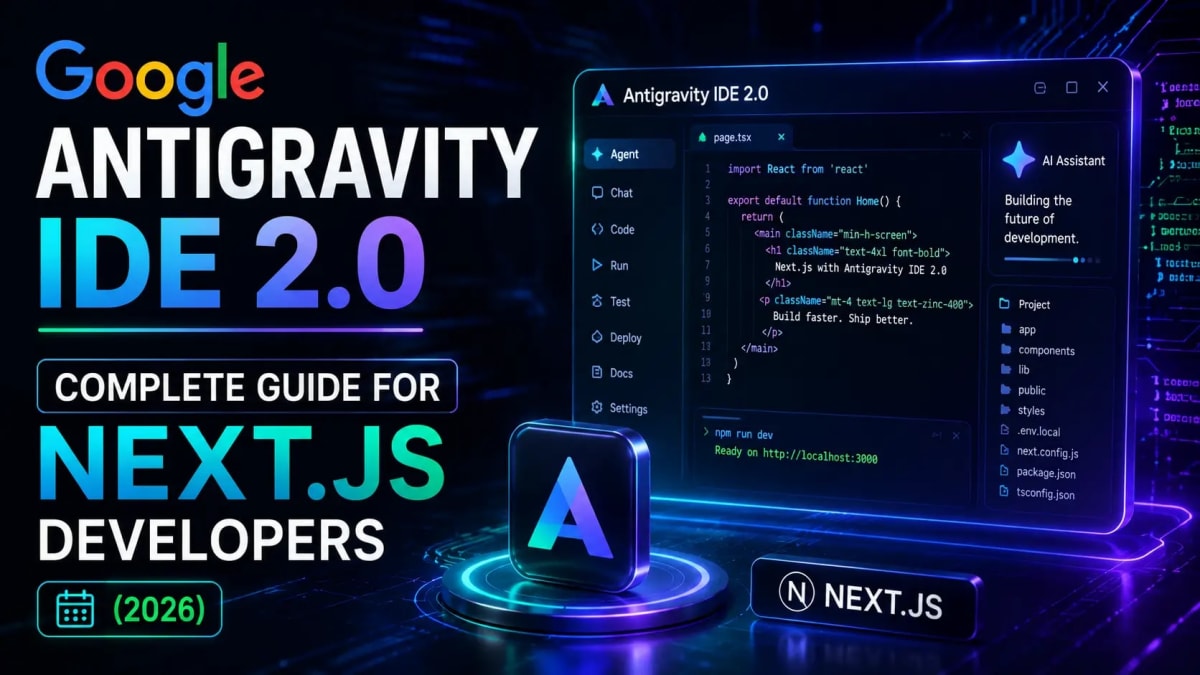
Antigravity 2.0 Broke My Setup - Here's What I Learned Fixing It
On the morning of May 20, 2026, I opened my WebToolsHub project in Antigravity IDE and found something unexpected. My terminal was gone. The visual error indicators had disappeared. The familiar VS Code-style interface had been replaced with a minimal chat panel and a new "Manager View" I hadn't asked for. Google had auto-updated Antigravity to version 2.0 overnight, without warning, and broken the workflow I'd spent three months building.
I spent the next few hours figuring out what changed and how to get back to productive work. This guide is everything I learned what Antigravity 2.0 actually is, how to configure it properly for a Next.js project, and an honest answer to the question every developer is asking right now: is it worth using over Cursor?
Spoiler: the answer is "it depends" but the specific conditions matter a lot, and I'll give you a clear framework for deciding.
What Antigravity 2.0 actually is and why the update was so disruptive
How to install, configure, and recover a broken Antigravity setup
Setting up AGENTS.md for Antigravity on a Next.js App Router project
Manager View, multi-agent missions, and when parallel agents actually help
Honest comparison: Antigravity 2.0 vs Cursor vs Claude Code for Next.js
Pricing breakdown and which plan makes sense for solo developers
Known issues and workarounds as of June 2026
What Google Antigravity 2.0 Actually Is
Antigravity launched in November 2025 as a VS Code fork with AI assistance built in essentially a Cursor competitor with Gemini as the default model. Simple pitch, clear value. Developers understood it immediately.
Antigravity 2.0, announced at Google I/O on May 19, 2026, is a fundamentally different product. Google didn't ship an updated AI editor they shipped a five-surface agent orchestration platform:
Desktop App: the new default surface, rebuilt from scratch
Antigravity CLI: terminal-native agent, replaces Gemini CLI on June 18, 2026
SDK : for embedding Antigravity agents in your own tools
Managed Agents API: hosted agent infrastructure inside the Gemini API
Enterprise Agent Platform: Google Cloud integration layer
The original VS Code-based IDE still exists but is no longer the default experience. You have to download it separately now. This is why thousands of developers woke up to broken setups the auto-update installed 2.0 and removed the traditional IDE as the primary surface without a migration path.
The product vision is coherent. The rollout execution was, to put it charitably, rough. If you're currently dealing with a broken Antigravity setup after the update, the Antigravity IDE blank screen fix guide covers the most common post-update issues with step-by-step solutions.
Installing Antigravity 2.0 From Scratch
If you're starting fresh rather than dealing with a broken update, the installation process for 2.0 is actually cleaner than version 1.x was.
System requirements:
Windows: 64-bit Windows 10 or later
macOS: Monterey 12 or later
Linux: 64-bit with glibc 2.28+ and glibcxx 3.4.25+
RAM: 16GB recommended for multi-agent missions (8GB works for single-agent)
Download from antigravity.google and run the installer. No separate dependencies. No manual PATH configuration. One installer, done. This was one of the things version 1.x did well and 2.0 keeps the onboarding is genuinely fast.
After installation, sign in with your Google account. The free tier gives you access to Gemini 3.5 Flash, Claude Sonnet 4.6, and GPT-OSS 120B with rotating rate limits. For Next.js development, the free tier is usable for experimentation but you'll hit limits during long agentic sessions.
Understanding the New Interface - Manager View vs Editor View
The biggest adjustment in 2.0 is the interface split. Where version 1.x was essentially VS Code with AI assistance, 2.0 has two distinct modes:
Manager View is the new default. It's a mission control dashboard where you describe a task in natural language and Antigravity dispatches agents to plan, execute, and verify the work. You see a task tree, agent status indicators, and review checkpoints where you approve or redirect before the agent continues. Think of it as the "what should be built" layer.
Editor View is the direct code editing surface closer to the original Antigravity 1.x experience. It still has inline AI assistance and single-agent chat, but it's no longer the primary entry point. You access it from Manager View or directly via the Editor tab. Think of it as the "how it gets built" layer.
The mental shift required: you're no longer typing code with AI assistance. You're directing agents who write code on your behalf. For repetitive scaffolding tasks generating CRUD routes, writing tests, refactoring component patterns this model is genuinely faster. For precise, nuanced edits where you know exactly what you want, Editor View or just using Claude Code directly is often more efficient.
Setting Up Antigravity for Your Next.js Project
The most important configuration step the one that determines whether Antigravity produces code that fits your project or generic code that requires rewriting is setting up your AGENTS.md file.
Antigravity 2.0 reads AGENTS.md at session start and uses it to configure all agents running in that session. Without it, agents default to generic Next.js conventions which may not match your project's stack, naming conventions, or architecture decisions.
Here's the AGENTS.md configuration that works well for a Next.js 15 App Router project in Antigravity:
# WebToolsHub (Next.js 15 App Router)

## Stack
Next.js 15.3 App Router, TypeScript 5.9 strict, Tailwind CSS v4,
MongoDB with Mongoose, Cloudinary for media, deployed on Vercel

## Commands
- Dev: `npm run dev`
- Type check: `npm run typecheck`
- Lint: `npm run lint`
- Build: `npm run build`
- Seed blog: `npx tsx seed-blog.ts`
- Seed tool: `npx tsx seed-tool.ts`

## Project Structure
- `/src/app/` — Next.js App Router pages and layouts
- `/src/app/blog/` — Blog pages and dynamic routes
- `/src/app/tools/` — Tool pages
- `/src/components/` — Shared React components
- `/src/models/` — Mongoose models (Blog, Tool)
- `/src/lib/` — Utilities, DB connection, helpers

## Conventions
- Named exports only, never default exports
- Server components by default, `'use client'` only when necessary
- TypeScript strict mode — no `any` types
- Tailwind utility classes only, no inline styles
- `@/` alias for all internal imports

## Boundaries
### Ask before doing
- Changes to `/src/models/` — Mongoose schema changes affect all data
- New npm dependencies
- Changes to `next.config.ts`

### Never do
- Add TypeScript `any`
- Direct database edits — use seed scripts
- Modify `.env.local` values in code
- Touch `/src/lib/legacy/` if it exists
For a deeper dive on writing effective AGENTS.md files, the complete AGENTS.md guide for Next.js covers all five sections with copy-paste templates and explains why specificity matters more than length.
Running Your First Multi-Agent Mission
This is where Antigravity 2.0 is genuinely different from anything else. A "mission" in Antigravity is a multi-step task where the system automatically dispatches parallel sub-agents to handle different parts of the work simultaneously.
Here's a real example from my WebToolsHub project:
Mission: "Add a new blog category called 'Tools' with its own
listing page, update the navigation, and add a category filter
to the existing blog listing page."
Without Antigravity, this is a 45-minute task across four files. With a well-configured mission, Antigravity 2.0 dispatches:
A planning agent that maps the required changes across your codebase
A UI agent handling the navigation update and filter component
A routing agent creating the new category page and dynamic route
A verification agent running your type checker and linter after each change
The key that makes this work is the checkpoint system. Before the agent writes to any file, it shows you a plan what it intends to change and why. You approve, redirect, or reject before execution. This is what separates Antigravity from "vibe coding" tools that write code and hope for the best.
One important tip from practice: keep missions scoped. "Add a blog category with listing page and navigation" is a good mission. "Refactor the entire blog system" is too broad the planning agent gets confused about scope and the parallel agents start touching overlapping files.
Antigravity 2.0 vs Cursor vs Claude Code - The Honest Comparison
I use all three regularly and the honest answer is that they're optimised for different workflows. Here's how they actually compare for Next.js development specifically:
For daily coding work (most of your time)
Cursor wins. The inline completions are faster, the chat interface is more fluid, and the VS Code compatibility means your existing extensions, keybindings, and muscle memory all work. Cursor has had 18 months more time to polish its editor experience than Antigravity 2.0, and it shows.
For multi-file agentic tasks
Antigravity 2.0 wins on parallel execution, Claude Code wins on accuracy. Antigravity's Manager View genuinely accelerates tasks that span 5+ files with a clear specification. Claude Code produces higher quality code on complex tasks its SWE-Bench score is meaningfully higher but it runs sequentially rather than in parallel.
For cost-conscious developers
Antigravity 2.0 wins on free tier. The free tier includes access to Gemini 3.5 Flash, Claude Sonnet 4.6, and GPT-OSS 120B with rotating rate limits. Cursor's free tier is significantly more restricted. For solo developers or side projects, Antigravity's free tier provides genuine utility that Cursor's doesn't match.
For Next.js App Router specifically
Claude Code + Cursor is still the strongest combination. The full AI coding tools comparison covers this in detail, but the short version: Claude Code's understanding of App Router conventions, server components, and server actions is consistently more accurate than Gemini 3.5 in Antigravity. For a TypeScript-heavy Next.js codebase, this matters.
Where I've found Antigravity 2.0 genuinely useful: scaffolding new pages, generating test files for existing components, and writing repetitive boilerplate that follows a clear pattern. Where I stick to Cursor and Claude Code: nuanced refactors, complex server action logic, and anything involving Next.js caching behaviour.
Pricing - What You're Actually Paying For
Antigravity 2.0's pricing has been a source of frustration since March 2026 when Google shifted to a credit-pack model and tightened the free tier. Here's the current structure as of June 2026:
Free tier: Gemini 3.5 Flash, Claude Sonnet 4.6, GPT-OSS 120B. Rotating rate limits reset every few hours. Genuinely usable for part-time development.
Individual plan (~$19/month): Higher rate limits, priority access to Gemini 3.1 Pro and Claude Opus 4.8, background tasks. Worth it if Antigravity is your primary tool.
Credit packs: For burst usage without a subscription. Useful if you use Antigravity occasionally for heavy multi-agent sessions but primarily work in Cursor or Claude Code.
My recommendation: start with the free tier and run it for two weeks on your actual project before paying. The rate limits are annoying but they're genuinely sufficient for evaluating whether the tool fits your workflow. Use the LLM API Cost Calculator to compare what you'd spend on Antigravity credits vs direct API usage if you're considering the credit-pack model.
Known Issues and Workarounds (June 2026)
Antigravity 2.0 is powerful but it's still rough in places. These are the issues I've hit personally and the workarounds that actually help:
Context window lag. Long sessions accumulate conversation history that consumes RAM and slows the interface. Fix: restart the session every 45-60 minutes during heavy work. Your AGENTS.md reloads automatically, so you don't lose project context.
Terminal missing after 2.0 update. The traditional terminal panel was removed in 2.0. You need to use Editor View and access the terminal from there, or run a separate terminal window alongside Antigravity. The blank screen fix guide has detailed recovery steps for other post-update issues.
Gemini CLI deprecation on June 18, 2026. If you've been using Gemini CLI for terminal-based agent work, it shuts down June 18. Replace it with the new Antigravity CLI same functionality, different command prefix. Migration is straightforward but worth doing before the cutoff.
MCP support missing. Unlike Claude Code and GitHub Copilot Agent Mode, Antigravity 2.0 does not currently support MCP (Model Context Protocol) servers. If your workflow relies on MCP integrations Stripe, Figma, Sentry, database tools you'll need Claude Code or Copilot for those tasks. Check the MCP guide for current tool support status.
Parallel agents touching the same files. In multi-agent missions, agents occasionally try to edit overlapping files and create conflicts. Mitigation: use scoped AGENTS.md files in subdirectories for monorepos, and keep mission scope tight one feature area per mission.
Should You Switch From Cursor to Antigravity 2.0?
After two weeks of using both on the same project, my honest answer: no, not as a full replacement. But as a complementary tool for specific tasks, yes.
The developers who will get the most from Antigravity 2.0 right now are those who spend significant time on greenfield features, scaffolding work, and repetitive code generation. The multi-agent mission system is genuinely faster than Cursor for those tasks when it works correctly.
The developers who should wait: anyone whose primary work is nuanced refactoring, complex bug fixing, or App Router-specific Next.js work where model accuracy on TypeScript matters. Cursor with Claude Code CLI is still the stronger setup for that kind of work.
The workflow I'm running on WebToolsHub right now: Antigravity 2.0 for scaffolding new blog and tool pages, Cursor for component refinement, Claude Code for complex server actions and data layer work. Three tools sounds like overhead, but in practice each one is clearly better at its lane and the shared AGENTS.md means all three agents understand my project conventions from the first prompt.
Frequently Asked Questions
What is Google Antigravity IDE 2.0?
Google Antigravity 2.0 is an agent-first development platform announced at Google I/O on May 19, 2026. It's a significant departure from the original Antigravity 1.x, which was a VS Code fork with AI assistance. Version 2.0 is a five-surface platform desktop app, CLI, SDK, Managed Agents API, and Enterprise Agent Platform designed around multi-agent task orchestration rather than single-agent code assistance. The default model is Gemini 3.5 Flash, with Claude Sonnet 4.6 and GPT-OSS 120B also available on all tiers including the free plan.
Why did Antigravity 2.0 break my setup?
Google auto-rolled out Antigravity 2.0 to existing users without a migration path or advance warning. The update removed the traditional VS Code-style IDE as the default experience, eliminated the terminal panel, and changed the primary interface to Manager View. Developers who relied on the original editor interface found their workflow broken overnight. The original IDE still exists but must be downloaded and configured separately. For specific recovery steps, the Antigravity blank screen and post-update fix guide covers the most common issues.
Is Antigravity 2.0 free?
Yes, there is a free tier with genuine utility. It includes access to Gemini 3.5 Flash, Claude Sonnet 4.6, and GPT-OSS 120B with rotating rate limits that reset every few hours. The free tier is sufficient for part-time development and evaluation. The paid Individual plan (~$19/month) unlocks higher rate limits, priority model access including Gemini 3.1 Pro and Claude Opus 4.8, and background agent tasks. Google has also offered credit packs for burst usage without a subscription.
Does Antigravity 2.0 support MCP?
No. as of June 2026, Antigravity 2.0 does not support Model Context Protocol servers. This is a meaningful gap compared to Claude Code and GitHub Copilot Agent Mode, both of which have full MCP support. If your workflow relies on MCP integrations with external tools (Stripe, Figma, databases, Sentry), you will need to use Claude Code or Copilot for those tasks. Google has not announced a timeline for MCP support in Antigravity.
How does Antigravity 2.0 compare to Cursor for Next.js development?
For daily Next.js coding work inline completions, quick edits, component refinement Cursor is more polished and reliable. For multi-file scaffolding tasks with a clear specification, Antigravity's parallel multi-agent system is faster. For complex App Router-specific work involving server components, server actions, and TypeScript accuracy, Claude Code consistently outperforms both on benchmark scores. Most productive Next.js developers in 2026 use two or three of these tools together rather than picking one exclusively.
What happened to Gemini CLI?
Google announced that Gemini CLI will be discontinued on June 18, 2026. It is being replaced by the new Antigravity CLI, which provides the same terminal-based agent functionality under the agy command prefix. If you've been using Gemini CLI for agent tasks, migrate to Antigravity CLI before the cutoff date. The migration is straightforward the core commands map directly, and your existing project configurations carry over.
What is Manager View in Antigravity 2.0?
Manager View is the new default interface in Antigravity 2.0. It's a mission-control dashboard where you describe a task in natural language and the system dispatches multiple agents to plan, execute, and verify the work in parallel. Each step includes a review checkpoint where you see what the agent plans to do before it writes any code. Manager View is most effective for multi-file feature work, scaffolding, and repetitive code generation. For direct line-level editing, Editor View (accessible from the tab bar) provides the more traditional AI-assisted coding experience.
Tagged in
Continue Reading
All Articles

Level Up Your Workflow
Free tools mentioned in this article
LLM API Cost Calculator
Compare LLM API pricing across 18 models GPT-4o, Claude Sonnet 4, Gemini 2.5 Pro, DeepSeek, Mistral and more. Calculate monthly API costs, count tokens live, and convert to 7 currencies. Free, instant, no signup.
JWT Secret Key Generator
Generate cryptographically secure, high-entropy JWT secret keys instantly. A free, client-side CSPRNG key generator for secure HS256 and HS512 tokens.
Regex Tester & Debugger
Test, debug, and validate JavaScript regular expressions instantly. Live match highlighting, capture groups, all flags supported - free, client-side, zero logs.
SVG to JSX / TSX Converter
Transform raw SVG code into production-ready React (JSX/TSX) components. Features camelCase mapping, Tailwind support, and TypeScript prop generation.