
Mastering Core Web Vitals 2026: How to Fix INP in Next.js
Author
Muhammad Awais
Published
May 17, 2026
Reading Time
6 min read
Views
7.4k
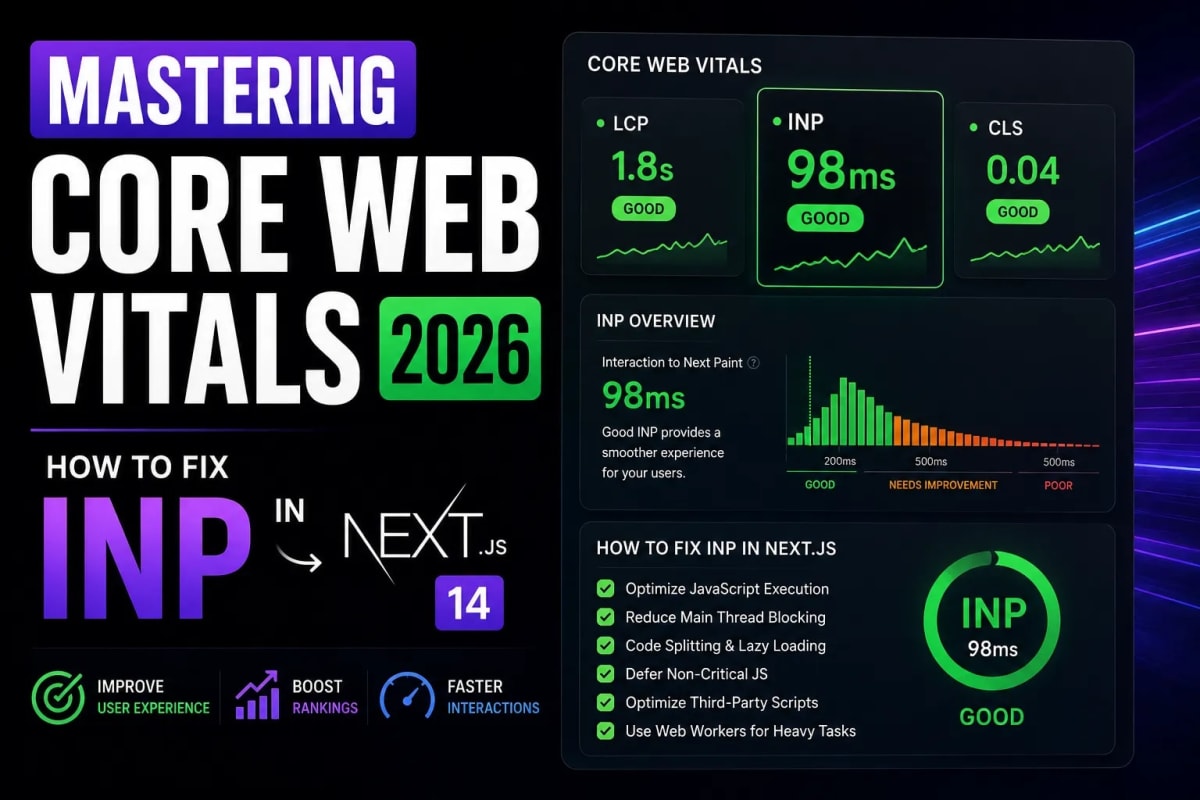
The Death of the 3-Second Rule: Fixing INP in Next.js 14
If your website takes 3 seconds to respond when a user clicks a button, you have already lost the client. In 2026, Google officially retired First Input Delay (FID) and replaced it with a far more ruthless Core Web Vitals metric: Interaction to Next Paint (INP). Next.js and React developers are currently watching their search rankings plummet because their heavy JavaScript bundles are paralyzing the browser's main thread. If you want to fix INP in Next.js and secure your Tier-1 organic traffic, you must fundamentally change how you write client-side code.
Table of Contents
- 1. What is INP (Interaction to Next Paint)?
- 2. Why Single Page Applications (SPAs) Fail INP
- 3. The Pro-Utility UI Approach to Unblocking the Main Thread
- 4. React Server Components vs. Client Boundaries
- 5. Asset Optimization for Instant Paint
1. What is INP (Interaction to Next Paint)?
Unlike older metrics that only measured the first time a user clicked your page, INP evaluates the overall responsiveness of your application throughout the entire lifecycle of the user's visit. It measures the latency of every tap, click, and keyboard input.
To pass Google's Core Web Vitals assessment and receive an SEO ranking boost, your INP must be under 200 milliseconds. If an interaction takes longer than 500 milliseconds, Google classifies your page as "Poor," directly penalizing your visibility on Search Engine Results Pages (SERPs). The challenge is that measuring INP is highly dependent on the user's hardware. What takes 50ms on a MacBook M3 might take 600ms on a mid-range Android phone.
2. Why Single Page Applications Fail INP
React.js, by its very nature, is a JavaScript-heavy framework. When a user triggers an event (like opening a mobile menu or submitting a form), React has to calculate the virtual DOM diff, reconcile the changes, and commit them to the actual DOM. All of this happens on the browser's main thread.
If your main thread is already busy executing a massive JavaScript bundle or calculating complex drop-shadow animations, the user's click gets queued. The browser simply cannot paint the next frame until React finishes its background tasks. This queueing delay is exactly what destroys your INP score. To fix this, we must adopt a strict, minimalist engineering mindset.
Data Integrity & Rendering Delays
If your frontend receives poorly structured JSON from an API, it spends valuable milliseconds looping through data to format it before rendering. You must strictly type your payloads to prevent client-side parsing delays. Process your APIs through a JSON to TypeScript Converter to ensure your data structures are 100% predictable, allowing React to render instantly without data manipulation overhead.
3. The Pro-Utility UI Approach to Unblocking the Main Thread
Visual bloat directly correlates to high INP. Massive border radii, complex CSS drop-shadows, and heavy JavaScript animation libraries (like Framer Motion) force the GPU and CPU to work overtime. The modern solution is the "Pro-Utility" design system.
By utilizing the zinc color architecture and strictly enforcing 1px borders with zero shadows (using Tailwind's shadow-none), you drastically reduce the rendering calculations required by the browser. When a user clicks a button, a simple CSS micro-interaction (like group-hover:translate-x-1) paints instantly because it bypasses the JavaScript main thread entirely. For structural layout, abandon complex nested divs that increase DOM size. Use a clean Tailwind Bento Grid Builder to keep your DOM tree shallow and responsive.
4. React Server Components vs. Client Boundaries
Next.js 14 App Router solves the JavaScript bloat problem natively through React Server Components (RSC). By default, components in the App Router do not send any JavaScript to the client. They send raw HTML.
To fix INP, you must push your "use client" boundaries to the absolute edge of the leaves in your component tree. Do not put "use client" at the top layout level. Only make interactive elements (like a toggle switch or a form input) client components. If you are building complex client-side utilities, such as an SEO Meta Tag Generator, ensure that the heavy lifting is done inside isolated, memoized functions so they do not trigger re-renders of the entire page layout.
5. Asset Optimization for Instant Paint
Finally, you cannot achieve a sub-200ms INP if your browser is fighting to download 5MB of uncompressed images while simultaneously trying to execute JavaScript. Large images block the main thread and steal network bandwidth.
Every single image on your website must be converted to a next-generation format before deployment. By running your assets through an Image to WebP Optimizer, you can reduce visual payloads by up to 80%. When assets load instantaneously, the browser's main thread is freed up to listen for user interactions, effectively curing your INP latency issues.
Conclusion: Speed as an SEO Ranking Factor
Fixing INP in Next.js is not just a technical luxury; it is an absolute requirement for surviving the 2026 SEO landscape. By adopting minimalist Pro-Utility design architectures, optimizing your component tree with Server Components, and compressing your media, you free the browser to do what it does best: respond instantly. Stop building bloated applications. Engineer for speed, and Google will reward you with unparalleled organic reach.
Frequently Asked Questions
Why did Google replace FID with INP?
FID (First Input Delay) only measured the very first interaction on a page. Google realized this was inaccurate because users often experience severe lag later in the session. INP measures all interactions to provide a holistic score of the page's responsiveness.
Does Tailwind CSS slow down my INP?
No, Tailwind CSS actually improves performance. Because the compiler purges all unused CSS before deployment, the resulting stylesheet is microscopic. Smaller CSS files parse faster, unblocking the main thread.
How do I test my INP score locally?
You can use the Chrome User Experience Report (CrUX) or the official Google Web Vitals extension. For local Next.js testing, open Chrome DevTools, go to the 'Performance' tab, simulate 'CPU 4x slowdown', and interact with your page to see the latency.
Can third-party scripts ruin my INP?
Absolutely. Third-party trackers, chatbots, and analytics scripts are the #1 cause of poor INP. Always load third-party scripts using Next.js next/script component with the strategy="lazyOnload" property so they do not block the initial interactivity.
What is a good INP score for AdSense?
Google requires an INP of 200 milliseconds or less to pass Core Web Vitals. Passing this threshold is highly recommended for AdSense publishers, as sites with good performance metrics are prioritized in the ad auction exchange, resulting in higher RPMs.
Tagged in
Continue Reading
All Articles


Level Up Your Workflow
Free tools mentioned in this article
WebMCP Tool Schema Generator
Generate declarative HTML form structures or imperative JavaScript/TypeScript schemas to register local web tools with AI browser agents.
Sitemap Validator
Free XML sitemap validator & checker check sitemap.xml syntax, broken URLs, duplicates & bad lastmod dates. Health score, CSV export. No signup needed.
Cron Job Expression Generator & Explainer
Generate cron expressions visually and instantly translate any cron schedule into plain English. Includes GitHub Actions, Vercel, and AWS presets.
CSS to Tailwind CSS Converter
Convert legacy CSS to modern Tailwind CSS utility classes instantly. 100% secure, free, and runs entirely in your browser. Boost your core web vitals today.